
 Contributing



Formatting guide
This guide describes all of the formatting options available to Amperity documentation.
Admonitions
An admonition is a way of calling attention to information in a topic.
Do this
.. admonition-name:: Name of custom admonition.

   The value for ``admonition-name`` is one of :ref:`attention <rst-admonition-attention>`, :ref:`caution <rst-admonition-caution>`, :ref:`danger <rst-admonition-danger>`, :ref:`error <rst-admonition-error>`, :ref:`hint <rst-admonition-hint>`, :ref:`important <rst-admonition-important>`, :ref:`note <rst-admonition-note>`, :ref:`tip <rst-admonition-tip>`, :ref:`warning <rst-admonition-warning>`, or a custom string that defines a :ref:`custom admonition <rst-admonition-custom>`.

   If more than one paragraph is needed ensure the formatting of the paragraph aligns vertically to the first character in "admonition-name".
For this
Name of custom admonition.
The value for admonition-name is one of attention, caution, danger, error, hint, important, note, tip, warning, or a custom string for a custom admonition.
If more than one paragraph is needed ensure the formatting of the paragraph aligns vertically to the first character in “admonition-name”.
Attention
Do this
.. attention:: Lorem ipsum dolor set atemit.
For this
Attention
Lorem ipsum dolor set atemit.
Caution
Do this
.. caution:: Lorem ipsum dolor set atemit.
For this
Caution
Lorem ipsum dolor set atemit.
Custom admonitions
A custom admonition is similar to built-in admonitions with two differences: a custom title and the ability to use the color applied to any built-in admonitions instead of the default theme color.
Custom titles
Do this for a custom title:
.. admonition:: Custom title

   Lorem ipsum dolor set atemit.
For this
Custom title
Lorem ipsum dolor set atemit.
Custom titles and custom colors
Do this for a custom title and to use the color for the hint admonition:
.. admonition:: Custom title
   :class: hint

   Lorem ipsum dolor set atemit with "danger" colors.
For this
Custom title
Lorem ipsum dolor set atemit with “danger” colors.
Danger
Do this
.. danger:: Lorem ipsum dolor set atemit.
For this
Danger
Lorem ipsum dolor set atemit.
Error
Do this
.. error:: Lorem ipsum dolor set atemit.
For this
Error
Lorem ipsum dolor set atemit.
Hint
Do this
.. hint:: Lorem ipsum dolor set atemit.
For this
Hint
Lorem ipsum dolor set atemit.
Important
Do this
.. important:: Lorem ipsum dolor set atemit.
For this
Important
Lorem ipsum dolor set atemit.
Note
Do this
.. note:: Lorem ipsum dolor set atemit.
For this
Note
Lorem ipsum dolor set atemit.
Tip
Do this
.. tip:: Lorem ipsum dolor set atemit.
For this
Tip
Lorem ipsum dolor set atemit.
Warning
Do this
.. warning:: Lorem ipsum dolor set atemit.
For this
Warning
Lorem ipsum dolor set atemit.
Anchor references
Anchor references allow topics to link to headers within topics that are in the same content collection. For example, topics in the Amperity reference may use anchor references to sections in any other topic in the Amperity reference.
.. _rst-anchor-references:

Anchor references
==================================================
The anchor reference is the .. _rst-anchor-references: syntax above the header. They are formatted with this pattern:
dot dot space underscore hyphen-separated-string colon
The “hyphen separated string” must be in lowercase and must follow this pattern:
filename - section - subsection
For example, the filename is rst.rst and the section is titled “Anchor references”, which means the anchor reference is .. _rst-anchor-references:.
Article information
Add article information to the top of a topic when it is appropriate, such as for tutorials or for topics that a customer is expected to read.
Do this
.. article-info::
   :avatar: _static/amperity_circle.png
   :avatar-link: https://docs.amperity.com/reference/start.html
   :avatar-outline: muted
   :author: Identity resolution agent
   :date: |today|
   :read-time: 10 min read. ~1 hour to complete
   :class-container: sd-p-2 sd-outline-muted sd-rounded-1
For this

Identity resolution agent
Apr 03, 2026
10 min read. ~1 hour to complete
Update the values for :author: and :read-time to be specific to the topic.
Card carousel
Caution
This formatting option is unused. Please ask the Amperity docs team before using it.
Use the .. card-carousel:: directive to create a horizontal scrolling set of cards. Set an integer value between 1 and 4 to configure the number of visible cards on the page.
Do this
.. card-carousel:: 2

   .. card:: Card 1

      Lorem ipsum dolor set atemit.

   .. card:: Card 2

      Lorem ipsum dolor set atemit.

   .. card:: Card 3

      Lorem ipsum dolor set atemit.

   .. card:: Card 4

      Lorem ipsum dolor set atemit.
For this
Lorem ipsum dolor set atemit.
Lorem ipsum dolor set atemit.
Lorem ipsum dolor set atemit.
Lorem ipsum dolor set atemit.
Example carousel
Make configuration changes in the sandbox.
Run the updated workflow from within the sandbox, including sandbox validations, to verify changes.
Promote configuration changes to your production tenant.
Cards
Use the following card types:
Note
Cards are used in grids.
Clickable cards
Use the .. card:: directive to add a clickable card to a page, and the configure the type of link.
Use the
:link:attribute to define the URL, anchor reference, or topic filename.Use the
:link-type:attribute to define:doc:or:ref:link types.Optional. Use the
:link-alt:attribute to add alt text on hover.
The following types of clickable cards are available:
Cards with cross-site links
Cards can link to pages in Amperity documentation that are not within the same collection.
Do this
.. card:: Card with cross-site link
   :link: https://docs.amperity.com/operators/api_profile.html
   :link-alt: Profile API

   This card links to https://docs.amperity.com/operators/api_profile.html.
For this
This card links to https://docs.amperity.com/operators/api_profile.html.
Cards with external links
Cards can link to external web pages.
Do this
.. card:: Card with external link
   :link: https://docs.amperity.com

   This card links to https://docs.amperity.com.
For this
This card links to https://docs.amperity.com.
Cards that link to sections
Cards can link to topic headings within the same collection.
Do this
.. card:: Card that links to topic heading within the same collection
   :link: rst-cards-standalone
   :link-type: ref
   :link-alt: Standalone cards
For this
Cards that link to topics
Cards can link to topics within the same collection.
Do this
.. card:: Card that links to topic within the same collection
   :link: styles
   :link-type: doc

   This is a card that uses a ``:doc:`` link to the Amperity Style Guide.
For this
This is a card that uses a :doc: link to the Amperity Style Guide.
Standalone cards
Use the .. card:: directive to add a standalone card to a page. This acts like an admonition, but without a title and with a neutral border that applies a subtle callout to a paragraph.
Do this
.. card:: What is UID2?

   .. include:: ../../amperity_reference/source/uid2.rst
      :start-after: .. uid2-overview-start
      :end-before: .. uid2-overview-end
For this
Unified ID 2.0 (UID2) is an open-source framework that enables deterministic identity for advertising opportunities across the open internet for participants with access to the advertising ecosystem. UID2 is a standalone solution with a unique namespace and privacy controls that help participants meet local market requirements.
Code blocks
The .. code-block:: directive is defined by Sphinx:
.. code-block:: language
   :caption: sphinx.ext.todo
   :class: dark-code
   :emphasize-lines: 2,10-15
   :linenos:

   extensions = [
     "sphinx.ext.todo",
   ]
   todo_include_todos = True
where “language” is one of the code language highlight options.
Use
:linenos:to add line numbers to the left side of a code block.Use
:emphasize-lines:to add emphasis to lines in a code block.Use
:caption:to add a title to a code block.Use
:class:with a value of “dark-code” to force a code sample to always be shown in dark mode formatting.
Captions
A caption is the title for a code block. Use the :caption: attribute to apply a string that becomes the title of the code block.
Do this
.. code-block:: python
   :caption: campaigns.py
   :linenos:

   import requests
   import json
   import csv

   # URL for Campaigns endpoint
   url = "https://tenant-name.amperity.com/api/campaigns"

   # Required headers
   headers = {
     'accept': 'application/json',
     'authorization': 'Bearer token', # add token here
     'amperity-tenant': 'tenant-name',
     'api-version': 'version'
   }

   # Query parameter for data template IDs
   payload = {
     # 'destination_data_template_id': ''
   }

   # Get the response from the Campaigns endpoint
   response = requests.request("GET", url, headers=headers, params=payload)
   response_json = response.json()

   # Extract headers from the first data entry
   headers = list(response_json["data"][0].keys())

   # Specify the output CSV file path
   csv_file_path = "campaigns.csv"

   # Write data to a CSV file
   with open(csv_file_path, mode='w', newline='') as file:
     writer = csv.DictWriter(file, fieldnames=headers)
     writer.writeheader()
     for entry in response_json["data"]:
       writer.writerow(entry)

   print("CSV file generated successfully.")
For this
 1import requests
 2import json
 3import csv
 4
 5# URL for Campaigns endpoint
 6url = "https://tenant-name.amperity.com/api/campaigns"
 7
 8# Required headers
 9headers = {
10  'accept': 'application/json',
11  'authorization': 'Bearer token', # add token here
12  'amperity-tenant': 'tenant-name',
13  'api-version': 'version'
14}
15
16# Query parameter for data template IDs
17payload = {
18  # 'destination_data_template_id': ''
19}
20
21# Get the response from the Campaigns endpoint
22response = requests.request("GET", url, headers=headers, params=payload)
23response_json = response.json()
24
25# Extract headers from the first data entry
26headers = list(response_json["data"][0].keys())
27
28# Specify the output CSV file path
29csv_file_path = "campaigns.csv"
30
31# Write data to a CSV file
32with open(csv_file_path, mode='w', newline='') as file:
33  writer = csv.DictWriter(file, fieldnames=headers)
34  writer.writeheader()
35  for entry in response_json["data"]:
36    writer.writerow(entry)
37
38print("CSV file generated successfully.")
Dark code
You can force code blocks to always use their dark code styles using the :class: with its value set to “dark-mode”.
Do this
.. code-block:: python
   :class: dark-code

   html_theme_options = {
       "dark_code": True
   }
For this
html_theme_options = {
    "dark_code": True
}
Line emphasis
Emphasize specific lines within a code block using the :emphasize-lines: attribute. Use a dash for sequential emphasis and a comma for separated emphasis. For example:
:emphasize-lines: 3-5will emphasize lines 3 through 5.:emphasize-lines: 3, 5will emphasize lines 3 and 5, but not 4.:emphasize-lines: 1, 3, 5-7, 25will emphasize only lines 1, 3, 5, 6, 7, and 24.
Do this
.. code-block:: django
   :emphasize-lines: 1, 3, 5-7, 25

   {% extends "!nav-docs.html" %}
   {% set some_jinja = "12345" %}
   {% set navItems = [
     {
       "title": "Start Here",
       "iconClass": "fas fa-arrow-alt-circle-right fa-fw",
       "subItems": [
         {
           "title": "Start Here",
           "hasSubItems": false,
           "url": "/some_file.html"
         },
         {
           "title": "FAQ",
           "hasSubItems": false,
           "url": "/faq.html"
         },
         {
           "title": "Additional Resources",
           "hasSubItems": false,
           "url": "/resources.html"
         },
       ]
     },
   ] -%}
For this
 1{% extends "!nav-docs.html" %}
 2{% set some_jinja = "12345" %}
 3{% set navItems = [
 4  {
 5    "title": "Start Here",
 6    "iconClass": "fas fa-arrow-alt-circle-right fa-fw",
 7    "subItems": [
 8      {
 9        "title": "Start Here",
10        "hasSubItems": false,
11        "url": "/some_file.html"
12      },
13      {
14        "title": "FAQ",
15        "hasSubItems": false,
16        "url": "/faq.html"
17      },
18      {
19        "title": "Additional Resources",
20        "hasSubItems": false,
21        "url": "/resources.html"
22      },
23    ]
24  },
25] -%}
Line numbers
Add line numbers to code blocks using the :linenos: attribute.
Do this
.. code-block:: json
   :linenos:

   {
     "foo": [
       {
         "one": "12345",
         "two": "abcde",
         "three": "words"
       },
     ],
   }
For this
1{
2  "foo": [
3    {
4      "one": "12345",
5      "two": "abcde",
6      "three": "words"
7    },
8  ],
9}
Tip
This attribute is sometimes picky and the build breaks and you discover that it works fine with four spaces instead of three, with everything aligned with the four spaces instead of three. Ask for help from the docs team if you run into this issue.
Code language highlights
Amperity uses the following code language highlights for differentiation within documentation. The highlighting applies to the use case within the technical content and is not always intended to match a specific code language.
Command shells
Assign console as the name of the code block for code blocks with command lines.
Important
Do not use the :linenos: attribute with command shells.
Do this
.. code-block:: console

   $ service stop
For this
$ service stop
Config files
Assign text as the name of the code block for code blocks with configuration settings.
Do this
.. code-block:: text
   :linenos:

   spark.setting.hours 1h
   spark.setting.option -User.timezone=UTC
   spark.setting.memory 20g
For this
1spark.setting.hours 1h
2spark.setting.option -User.timezone=UTC
3spark.setting.memory 20g
Data tables
Assign mysql as the name of the code block for code blocks that show the inputs and outputs of processing data.
Important
Do not use the :linenos: attribute with data tables.
Do this
.. code-block:: mysql

   --------- ---------
    column1   column2
   --------- ---------
    value     value
    value     value
    value     value
   --------- ---------
For this
--------- ---------
 column1   column2
--------- ---------
 value     value
 value     value
 value     value
--------- ---------
HTML
Assign html as the name of the code block for code blocks with HTML.
Do this
.. code-block:: html
   :linenos:

   <div class="admonition warning">
     <p class="first admonition-title">Custom warning</p>
     <p class="last">The text for a custom warning that is built from raw HTML.</p>
   </div>
For this
1<div class="admonition warning">
2  <p class="first admonition-title">Custom warning</p>
3  <p class="last">The text for a custom warning that is built from raw HTML.</p>
4</div>
JSON
Assign json as the name of the code block for code blocks with JSON structures.
Do this
.. code-block:: json
   :linenos:

   {
     "foo": [
       {
         "one": "12345",
         "two": "abcde",
         "three": "words"
       },
     ]
   }
For this
1{
2  "foo": [
3    {
4      "one": "12345",
5      "two": "abcde",
6      "three": "words"
7    },
8  ],
9}
JSON with Jinja
Some code blocks will refuse to parse when json is assigned to the code block. For these code blocks try using django, which supports non-standard JSON structures, such as those that combined JSON and Jinja templating.
Do this
.. code-block:: django
   :linenos:

   {% extends "!nav-docs.html" %}
   {% set some_jinja = "12345" %}
   {% set navItems = [
     {
       "title": "Start Here",
       "iconClass": "fas fa-arrow-alt-circle-right fa-fw",
       "subItems": [
         {
           "title": "Start Here",
           "hasSubItems": false,
           "url": "/some_file.html"
         },
         {
           "title": "FAQ",
           "hasSubItems": false,
           "url": "/faq.html"
         },
         {
           "title": "Additional Resources",
           "hasSubItems": false,
           "url": "/resources.html"
         },
       ]
     },
   ] -%}
For this
 1{% extends "!nav-docs.html" %}
 2{% set some_jinja = "12345" %}
 3{% set navItems = [
 4  {
 5    "title": "Start Here",
 6    "iconClass": "fas fa-arrow-alt-circle-right fa-fw",
 7    "subItems": [
 8      {
 9        "title": "Start Here",
10        "hasSubItems": false,
11        "url": "/some_file.html"
12      },
13      {
14        "title": "FAQ",
15        "hasSubItems": false,
16        "url": "/faq.html"
17      },
18      {
19        "title": "Additional Resources",
20        "hasSubItems": false,
21        "url": "/resources.html"
22      },
23    ]
24  },
25] -%}
None
Assign none as the name of the code block for situations that require code block-like formatting or in any situation where another code block name creates a build error.
Do this
.. code-block:: none
   :linenos:

   This is a none block. It is formatted as if it were code, but is not actually code.

   Can include code-like things:

   function_foo()
     does: something
   end
For this
1This is a none block. It is formatted as if it were code, but is not actually code.
2
3Can include code-like things:
4
5function_foo()
6  does: something
7end
Python
Assign python as the name of the code block for Python code samples.
Do this
.. code-block:: python
   :linenos:

   import requests
   import json
   import csv

   # URL for Campaigns endpoint
   url = "https://tenant-name.amperity.com/api/campaigns"

   # Required headers
   headers = {
     'accept': 'application/json',
     'authorization': 'Bearer token', # add token here
     'amperity-tenant': 'tenant-name',
     'api-version': 'version'
   }

   # Query parameter for data template IDs
   payload = {
     # 'destination_data_template_id': ''
   }

   # Get the response from the Campaigns endpoint
   response = requests.request("GET", url, headers=headers, params=payload)
   response_json = response.json()

   # Extract headers from the first data entry
   headers = list(response_json["data"][0].keys())

   # Specify the output CSV file path
   csv_file_path = "campaigns.csv"

   # Write data to a CSV file
   with open(csv_file_path, mode='w', newline='') as file:
     writer = csv.DictWriter(file, fieldnames=headers)
     writer.writeheader()
     for entry in response_json["data"]:
       writer.writerow(entry)

   print("CSV file generated successfully.")
For this
 1import requests
 2import json
 3import csv
 4
 5# URL for Campaigns endpoint
 6url = "https://tenant-name.amperity.com/api/campaigns"
 7
 8# Required headers
 9headers = {
10  'accept': 'application/json',
11  'authorization': 'Bearer token', # add token here
12  'amperity-tenant': 'tenant-name',
13  'api-version': 'version'
14}
15
16# Query parameter for data template IDs
17payload = {
18  # 'destination_data_template_id': ''
19}
20
21# Get the response from the Campaigns endpoint
22response = requests.request("GET", url, headers=headers, params=payload)
23response_json = response.json()
24
25# Extract headers from the first data entry
26headers = list(response_json["data"][0].keys())
27
28# Specify the output CSV file path
29csv_file_path = "campaigns.csv"
30
31# Write data to a CSV file
32with open(csv_file_path, mode='w', newline='') as file:
33  writer = csv.DictWriter(file, fieldnames=headers)
34  writer.writeheader()
35  for entry in response_json["data"]:
36    writer.writerow(entry)
37
38print("CSV file generated successfully.")
REST APIs
Assign rest as the name of the code block for code blocks with simple REST API examples.
Important
Do not use the :linenos: attribute with REST API examples unless the request or response has more than one line.
Do this
.. code-block:: rest
   :linenos:

   https://www.yoursite.com/endpoint/{some_endpoint}
For this
1https://www.yoursite.com/endpoint/{some_endpoint}
Note
Use the JSON code block style for the JSON request and response parts of the REST API.
reStructuredText
Assign rst as the name of the code block for code blocks with reStructuredText formatting.
Do this
.. code-block:: rst
   :linenos:

   This is some *reStructured* **Text** formatting.

   .. code-block:: none

      that has some(code);
For this
1This is some *reStructured* **Text** formatting.
2
3.. code-block:: none
4
5   that has some(code);
Ruby
Assign ruby as the name of the code block for Ruby code samples.
Do this
.. code-block:: ruby
   :linenos:

   require 'uri'
   require 'net/http'

   url = URI("https://tenant-name.amperity.com/api/campaigns")

   http = Net::HTTP.new(url.host, url.port)
   http.use_ssl = true

   request = Net::HTTP::Get.new(url)
   request["accept"] = 'application/json'
   request["authorization"] = 'Bearer token'
   request["amperity-tenant"] = 'tenant-name'
   request["api-version"] = '2024-04-01'
   request["destination_data_template_id"] = 'ab-1CDEfGHIj'

   response = http.request(request)
   puts response.read_body
For this
 1require 'uri'
 2require 'net/http'
 3
 4url = URI("https://tenant-name.amperity.com/api/campaigns")
 5
 6http = Net::HTTP.new(url.host, url.port)
 7http.use_ssl = true
 8
 9request = Net::HTTP::Get.new(url)
10request["accept"] = 'application/json'
11request["authorization"] = 'Bearer token'
12request["amperity-tenant"] = 'tenant-name'
13request["api-version"] = '2024-04-01'
14request["destination_data_template_id"] = 'ab-1CDEfGHIj'
15
16response = http.request(request)
17puts response.read_body
Shell scripts
Assign bash as the name of the code block for code blocks with shell script examples.
Do this
.. code-block:: bash
   :linenos:

   # The product and version information.
   readonly MARKUP_PRODUCT="markup-app"
   readonly MARKUP_VERSION="1.23.45-6"
   readonly MARKUP_RELEASE_DATE="2019-04-01"
For this
1# The product and version information.
2readonly MARKUP_PRODUCT="markup-app"
3readonly MARKUP_VERSION="1.23.45-6"
4readonly MARKUP_RELEASE_DATE="2019-04-01"
SQL queries
Assign sql as the name of the code block for code blocks with Spark SQL or Presto SQL examples.
Do this
.. code-block:: sql
   :linenos:

   SELECT *
   FROM Customers
   WHERE Last_Name='Smith'
For this
1SELECT *
2FROM Customers
3WHERE Last_Name='Smith'
YAML
Assign yaml as the name of the code block for code blocks with YAML.
Do this
.. code-block:: yaml
   :linenos:

   config:
     - some_setting: 'value'
     - some_other_setting: 12345
For this
1config:
2  - some_setting: 'value'
3  - some_other_setting: 12345
YAML with Jinja
Assign salt as the name of the code block for code blocks with YAML that embeds Jinja templating.
Do this
.. code-block:: salt
   :linenos:

   {%- set some_jinja = "12345" %}

   config:
     - some_setting: 'value'
     - some_other_setting: {{ some_jinja }}
For this
1{%- set some_jinja = "12345" %}
2
3config:
4  - some_setting: 'value'
5  - some_other_setting: {{ some_jinja }}
Why salt?
Using salt seems like an odd way to specify a code block that contains both Jinja and YAML.
SaltStack is a configuration management tool similar to Ansible, Chef, and Puppet. SaltStack uses a mix of Jinja and YAML to define system states. The salt lexer exists in Pygments originally because of how SaltStack defines system states, their use of Python and documentation built via Sphinx, and the need for a lexer that could parse a file with code samples that contain both Jinja and YAML.
Dropdowns
A dropdown shows a title string and a box that expands when the reader clicks it.
Do this
.. dropdown:: Dropdown title
   :icon: code

   Dropdown content
For this
Dropdown title
Dropdown content
Tip
Dropdowns should be used to present information that a reader does not need to see immediately and the title should identify what information appears.
Dropdowns should not be used when a section title should appear in the right-side navigation.
Content within a dropdown cannot be included elsewhere unless the entire dropdown is included. Inclusions may be used within a dropdown.
Expanded dropdowns
Use the :open: attribute to configure a dropdown to be expanded by default.
Do this
.. dropdown:: Dropdown title
   :open:

   This is the content of a dropdown that is configured to be expanded by default.
For this
Dropdown title
This is the content of a dropdown that is configured to be expanded by default.
Tip
Use an expanded dropdown within a series of dropdowns to show the best option or the default.
Escape characters
Use a backslash to override special meaning for characters, such as backslash or grave characters, to show the intended character.
Figures
Use the .. figure:: directive for images that require dark mode and light mode versions. Use the .. images:: directive for images that do not require both versions.
A figure requires two image configurations. Use the :figclass: attribute to specify “light-only” or “dark-only”. Be sure to configure the correct image path for dark and light mode.
Do this
.. figure:: ../../amperity_base/source/_static/connector-braze.png
   :figclass: light-only
   :width: 140 px
   :align: left

.. figure:: ../../amperity_base/source/_static/connector-braze-dark.png
   :figclass: dark-only
   :width: 140 px
   :align: left
For this


Grids
Use grids to build a list of links to other sections and pages in a topic collection or to pages outside Amperity documentation. Configure grids using a variety of linking options and apply Font Awesome or Octicon icons for additional flair. For example:
Browse a collection of user guides to learn how to configure Amperity to support a variety of marketing and analytics use cases.
Learn how to configure Amperity to support your brand’s marketing use cases. Load and shape datasets, build customer profiles, and enable downstream workflows.
Contribute to Amperity content. Follow the style guide to ensure your contributions fit in.
Use reStructuredTest to format pages within Amperity documentation.
Grid configuration options
Each grid has the following configuration options:
Important
Try to use the default values for gutter and padding and try to keep the number of columns to “1 1 2 2”. Use link types as needed.
Columns
The grid directive supports configuration for up to 4 screen resolution sizes.
For example:
.. grid:: 1 1 2 2
   :padding: 3
   :gutter: 4
The “1 1 2 2” values define the number of columns visible at extra small (1), small (1), medium (2), and large (2) screen resolutions. These will change as the screen resolution changes, including for responsive browser behaviors.
A grid should never have more than 4 columns at any screen resolution. 3 columns can work if the content within all grids is consistent and similar. The first two values should always be “1” and “1”.
Gutter
A gutter is the distance between individual cards in a grid. If it is too low the cards are too close together and if it is too large the cards are too far apart. When a grid does not have a gutter and the container class is surface the content appears as if there is a single card, but each individual grid is still formatted within the grid.
The values for :gutter: must be between “0” and “4”. Use “0” for no gutter. Use “1” for an extra small gutter, “2” for a small gutter, “3” for a medium gutter, and “4” for a large gutter. The default value is “4”.
Do this
.. grid:: 1 1 2 2
   :gutter: 4

   .. grid-item-card:: :octicon:`star` Setup guide
      :link-type: doc
      :link: setup

   .. grid-item-card:: :octicon:`zap` Style guide
      :link-type: doc
      :link: styles
For this
Apply icons to grids
Apply icons to grids using Font Awesome or Octicons.
Grids and Font Awesome
Use Font Awesome icons within cards in a grid.
Do this
.. grid:: 1 1 2 2
   :gutter: 2
   :padding: 0
   :class-row: surface

   .. grid-item-card:: |u-euro| Setup guide
      :link-type: doc
      :link: setup

   .. grid-item-card:: |u-dollar| Style guide
      :link-type: doc
      :link: styles
For this
Grids and Octicons
Use Octicons icons within cards in a grid.
Do this
.. grid:: 1 1 2 2
   :gutter: 2
   :padding: 0
   :class-row: surface

   .. grid-item-card:: :octicon:`star` Setup guide
      :link-type: doc
      :link: setup

   .. grid-item-card:: :octicon:`zap` Style guide
      :link-type: doc
      :link: styles

   .. grid-item-card:: :octicon:`star` Setup guide
      :link-type: doc
      :link: setup

   .. grid-item-card:: :octicon:`zap` Style guide
      :link-type: doc
      :link: styles

   .. grid-item-card:: :octicon:`star` Setup guide
      :link-type: doc
      :link: setup

   .. grid-item-card:: :octicon:`zap` Style guide
      :link-type: doc
      :link: styles
For this
Link to external pages
Use the :link-type: option with a value of url for an external link. This does not require appending |ext_link| because the external link indicator icon is appended automatically by grid formatting.
Note
When :link-type: is not specified url is the default value.
Do this
.. grid-item-card:: Links
   :link-type: url
   :link: https://docs.amperity.com
For this
Link to headers within topics
Use the :link-type: option with a value of ref for a link that behaves the same way as links to topic headings within the same collection.
Do this
.. grid-item-card:: Reference links
   :link-type: ref
   :link: rst-links
For this
Link to topics
Use the :link-type: option with a value of doc for a link that behaves the same way as links to topics within the same collection.
Do this
.. grid-item-card:: Terminology
   :link-type: doc
   :link: terminology
For this
Padding
Padding is the distance from the outside edge to the location of the card. The default value for :padding: is “3”.
The values for :padding: must be between “0” and “5”. Use “0” for no padding. Use “1” - “5” to increase the distance from the outside edge.
Do this
.. grid:: 1 1 2 2
   :padding: 3

   .. grid-item-card:: :octicon:`star` Setup guide
      :link-type: doc
      :link: setup

   .. grid-item-card:: :octicon:`zap` Style guide
      :link-type: doc
      :link: styles
For this
Surface
Surface defines if the grid has an outline or a solid background. When :class-container: surface is applied, each grid has a solid background.
Do this
.. grid:: 1 1 2 2
   :class-container: surface

   .. grid-item-card:: :octicon:`star` Setup guide
      :link-type: doc
      :link: setup

   .. grid-item-card:: :octicon:`zap` Style guide
      :link-type: doc
      :link: styles
For this
Header levels
Up to four header levels may be used within a topic.
H1 headers are identified with equals symbols:
======H2 headers are identified with dash symbols
------H3 headers are identified with plus symbols
++++++H4 headers are identified with carat symbols
^^^^^^
All header lengths must be 50 characters.
Headers are configured like this:
H1
==================================================

H2
--------------------------------------------------

H3
++++++++++++++++++++++++++++++++++++++++++++++++++

H4
^^^^^^^^^^^^^^^^^^^^^^^^^^^^^^^^^^^^^^^^^^^^^^^^^^
Note
H5 header levels are not supported.
Instead use bold strings like headers. See custom admonitions for an example of using bold strings in place of H5 headers.
Header markup length
All headers must be 50 characters long. This helps identify the header structure within a file.
All header strings cannot exceed the 50 character limit of the header and should be closer to 25 characters. This helps header structures be clean and organized and makes them easier to scan.
Icons
Amperity docs supports using the following icon libraries within documentation:
Note
Lucide icons are used within the Amperity Docs theme and may not be used within documentation pages.
Font Awesome
Font Awesome is an icon library supported by this theme and is the icon library that is used within Amperity. Use the same Font Awesome icon in documentation as used within Amperity. Prefer Font Awesome icons over Octicons. Amperity Docs support using any of the “brands”, “solid”, and “regular” icons.
Tip
Font Awesome icons work inline in paragraphs and lists and within admonitions.
Name |
Do this |
For this |
|---|---|---|
Australian Dollar |
|u-dollar|
|
$ |
Badge checkmark |
|system-yes|
|
|
British Pound |
|u-pound|
|
£ |
External link indicator |
|ext_link|
|
|
GitHub |
|fa-github|
|
Important
Font Awesome icons must be configured in the /amperity-docs/shared/names.txt file before they can be used in Amperity Docs.
Lucide
Lucide icons are embeded in CSS and appear in the navigation, are the toggle for switching between light, dark, and default modes, and in admonitions. Custom Lucide icons must be configured within CSS. Lucide icons may not be used inline in paragraphs, lists, or admonitions.
Octicons
Octicons is an icon library supported by this theme. Amperity Docs prefers Font Awesome icons over Octicons, where possible.
Tip
Octicons icons work inline in paragraphs and lists and within admonitions.
Some examples:
Name |
Do this |
For this |
|---|---|---|
Alert |
:octicon:`alert`
|
|
Bell |
:octicon:`bell`
|
|
Book |
:octicon:`book`
|
|
Browser |
:octicon:`clock`
|
|
Clock |
:octicon:`browser`
|
Images
Add images to the documentation using the .. images:: directive.
Use
:width:to set the width of an image in pixels or percent.Use
:alt:to provide alt text for the image.Use
:align:to configure the location of the image on the page. Always set this value to “left”.Use
:no-scaled-link:to prevent the image from being clickable.
Important
You must use figures for images that require differentiation between dark and light mode.
Do this
.. code-block:: rst

   .. image:: ../../amperity_base/source/_static/card-chuck-data.png
      :width: 400 px
      :alt: Chuck Data
      :align: left
      :class: no-scaled-link
For this

Inclusions
Amperity content is designed to be reusable across content collections.
Content can be included
From a file
The /shared directory in Amperity docs has a collection of files that contain shareable content.
credentials_settings.rst
destinations_settings.rst
terms.rst
Inside these topics are reusable paragraphs. terms.rst contains ALL of the glossary terms used across ALL Amperity documentation. From terms.rst they are shared into the glossary and also into any other topic that needs that term.
For example:
**Moveable Ink**

.. term-moveable-ink-start

Moveable Ink helps marketers design dynamic creatives for personalized content experiences that combine business logic with access to real-time customer profiles.

.. term-moveable-ink-end
Moveable Ink is an entry in the terms.rst file. The title of the term–Moveable Ink–is followed by section references that surround a paragraph.
The glossary term for Moveable Ink is:
Moveable Ink helps marketers design dynamic creatives for personalized content experiences that combine business logic with access to real-time customer profiles.
The section references are:
“.. term-moveable-ink-start”
“.. term-moveable-ink-end”
To include the glossary term for Moveable Ink into a topic, such as into the Amperity glossary or into topics that mention Moveable Ink, use the .. include:: directive.
.. include:: ../../shared/terms.rst
   :start-after: .. term-moveable-ink-start
   :end-before: .. term-moveable-ink-end
The value for
.. include::is the relative path to the file with the sharable content.Use the section reference start string–“.. term-moveable-ink-start”–as the value for the
:start-after:attribute.Use the section reference end string–“.. term-moveable-ink-end”–as the value for the
:end-before:attribute.
Do this
.. include:: ../../shared/terms.rst
   :start-after: .. term-moveable-ink-start
   :end-before: .. term-moveable-ink-end
For this
Moveable Ink helps marketers design dynamic creatives for personalized content experiences that combine business logic with access to real-time customer profiles.
Glossary terms
The Amperity glossary formats inclusions differently than other topics. Each glossary term has a unique anchor reference and is formatted as a defintion list.
.. _m-moveable-ink:

**Moveable Ink**
   .. include:: ../../shared/terms.rst
      :start-after: .. term-moveable-ink-start
      :end-before: .. term-moveable-ink-end
From a topic
Every section in every topic in every collection is configured for sharing and may be reused.
For example:
.. uid2-overview-start

Unified ID 2.0 (UID2) is an `open-source framework <https://unifiedid.com/docs/intro>`__ |ext_link| that enables deterministic identity for advertising opportunities across the open internet for participants with access to the advertising ecosystem. UID2 is a standalone solution with a unique namespace and privacy controls that help participants meet local market requirements.

.. uid2-overview-end
The section references are:
“.. uid2-overview-start”
“.. uid2-overview-end”
To include the paragraph into another topic use the .. include:: directive.
.. include:: ../../amperity_reference/source/uid2.rst
   :start-after: .. uid2-overview-start
   :end-before: .. uid2-overview-end
The value for
.. include::is the relative path to the file with the sharable content. All content collections have a/source/directory within the path.Use the section reference start string–“.. uid2-overview-start”–as the value for the
:start-after:attribute.Use the section reference end string–“.. uid2-overview-end”–as the value for the
:end-before:attribute.
Do this
.. include:: ../../amperity_reference/source/uid2.rst
   :start-after: .. uid2-overview-start
   :end-before: .. uid2-overview-end
For this
Unified ID 2.0 (UID2) is an open-source framework that enables deterministic identity for advertising opportunities across the open internet for participants with access to the advertising ecosystem. UID2 is a standalone solution with a unique namespace and privacy controls that help participants meet local market requirements.
Start and end policy
Adding the section reference start and end strings is a step completed during topic development. All content is written to be reusable even if it is not reused.
Inline markup
Paragraphs, lists, and other strings of text behave here like they do in any text editor, with line breaks before and after. Use any of these formatting options within paragraphs, lists, and tables:
Badges
Badges are colored block of solid or outlined text for use inline within paragraphs, lists, and tables. Badges are not admonitions. Use badges sparingly as a way to draw the reader’s eye to information. For example, to call out New, Updated, or Deprecated features or for Required or Optional configuration settings.
Do this
:bdg-light:`New`

:bdg-success:`Updated`

:bdg-warning:`Deprecated`
For this
New
Updated
Deprecated
Badge types
The following table shows the available badge types by color. The theme-defined badge names, such as :bdg-primary: and :bdg-info-line: are mapped to Amperity-defined accent colors. The examples use “Solid” and “Outlined” as placeholder names. The name is a writer-defined string for the badge. Keep badge names short. One or two words.
Accent color |
Solid badge |
Outlined badge |
|---|---|---|

|
Do this :bdg-primary:`Solid`
For this Solid |
Do this :bdg-primary-line:`Outlined`
For this Outlined |

|
Do this :bdg-secondary:`Solid`
For this Solid |
|

|
Do this :bdg-success:`Solid`
For this Solid |
Do this :bdg-success-line:`Outlined`
For this Outlined |

|
Do this :bdg-info:`Solid`
For this Solid |
Do this :bdg-info-line:`Outlined`
For this Outlined |

|
Do this :bdg-danger:`Solid`
For this Solid |
Do this :bdg-danger-line:`Outlined`
For this Outlined |

|
Do this :bdg-warning:`Solid`
For this Solid |
Do this :bdg-warning-line:`Outlined`
For this Outlined |

|
Do this :bdg-dark:`Solid`
For this Solid |
Do this :bdg-dark-line:`Outlined`
For this Outlined |

|
Do this :bdg-light:`Solid`
For this Solid |
|

|
Do this :bdg-muted:`Solid`
For this Solid |
Bold
Use two asterisks ** around the word to apply bold formatting: **bold**. For example: this is bold content.
Caution
You may not use bold in headers or within the text strings for hyperlinks.
Code strings
Use two backticks around an inline code string.
Do this
This is an ``inline() code*string``.
For this
This is an inline() code*string.
Tip
Use sparingly. For SQL function and operator names use bold emphasis.
Italics
Use a single asterisk * around the word to apply italics formatting: *italics*. For example: this is italicized content.
Caution
You may not use italics in headers or within the text strings for hyperlinks.
Links
Use the following types of links within documentation.
Badges as links
A badge, in certain situtions, may be used in place of a cross-site or external link.
Do this
:bdg-link-primary:`https://docs.amperity.com`

:bdg-link-primary-line:`https://docs.amperity.com`
For this
Tip
Review the list of badge types. The difference between using a badge inline versus a link is:
This
:bdg-primary:`https://docs.amperity.com`

:bdg-link-primary-line:`https://docs.amperity.com`
For this
https://docs.amperity.com
Cross-site
A cross-site link is a link to a page in Amperity docs that is not in the same docs collection. The syntax for a cross-site link is:
`string <../relative/path/to/page.html#anchor-references-are-ok>`__
Replace “string” with text.
Replace “../relative/path/to/page.html” with the relative URL. For example:
../reference/sso.htmlor../reference/sso.html#use-cases.Be sure to append the double underscores.
Do not add
|ext_link|to the end because the reader will not leave the Amperity docs site.
Do this
`Use cases for single sign-on (SSO) <../reference/sso.html#use-cases>`__
For this
Use cases for single sign-on (SSO)
Important
Internal links defined by relative paths omit the target="_blank" property from the link.
Internal links with relative paths will open in the same browser tab.
Internal links with full HTTPS path will open in a new browser tab like external links.
This behavior is managed by the “remove target from internal links” Javascript in /_templates/partials/extra-head.html.
External
An external link is a link to a page that exists outside Amperity documentation. The syntax for an external link is:
`string <URL>`__ |ext_link|
Replace “string” with text.
Replace “URL” with the full URL. For example:
https://wwww.braze.com/docs/orhttps://www.braze.com/docs/user_guide/personalization_and_dynamic_content/connected_content.Be sure to append the double underscores.
Use
|ext_link|to apply an icon that indicates the link takes the reader from the Amperity docs site.
Do this
`Braze documentation <https://www.braze.com/docs/>`__ |ext_link|
For this
Headers in same site
A reference link is a link to an anchor reference located within the same document collection. The anchor reference must be unique.
Do this
:ref:`rst-links-reference`
or:
:ref:`Headers in same site <rst-links-reference>`
For this
or
A reference link without the “string” value uses the header string just below the anchor reference. Use the “string” value to blend reference links into the language you use in a paragraph, a list, or a table.
Important
You cannot use reference links to link to a section in a topic located in another document collection. Use an external link within the docs site to define the link.
Note
The link in the example is self-referential. You should not do this.
Topics in same site
A topic link is a link to a topic, such as to the Amperity Style Guide located within the same document collection. The topic reference must be a filename.
Do this
:doc:`styles`
or:
:doc:`Amperity Style Guide <styles>`
For this
or:
Important
You cannot use topic links to link to a topic located in another document collection. Use an external link within the docs site to define the link.
Lists
Use the following types of lists to organize information in topics.
Definition lists
A definition list is a specially formatted list that uses whitespace to indent the descriptive text underneath a word or a short phrase.
Tip
Add a row in-between the list item and the description to generate a vertical bar styled to the left of the description in the HTML output.
Do this
.. code-block:: rst

   **list_item_one**

      The description must be indented three spaces.

   **list_item_two**

      The description must be indented three spaces.
For this
list_item_one
The description must be indented three spaces.
list_item_two
The description must be indented three spaces.
Or this
.. code-block:: rst

   **list_item_one**
      The description must be indented three spaces.

   **list_item_two**
      The description must be indented three spaces.
For this
- list_item_one
The description must be indented three spaces.
- list_item_two
The description must be indented three spaces.
Grid lists
Use a grid to present a list of information within boxes. Use grid lists sparingly and ony when each item in the list has a short and similar structure.
Do this
.. grid:: 1 1 2 2
   :outline:

   .. grid-item::

      Use ``1`` for an extra small gutter.

   .. grid-item::

      Use ``2`` for a small gutter.

   .. grid-item::

      Use ``3`` for a medium gutter.

   .. grid-item::

      Use ``4`` for a large gutter.
For this
Use 1 for an extra small gutter.
Use 2 for a small gutter.
Use 3 for a medium gutter.
Use 4 for a large gutter.
Or this without :outline:
Use 1 for an extra small gutter.
Use 2 for a small gutter.
Use 3 for a medium gutter.
Use 4 for a large gutter.
Horizontal lists
Using .. hlist:: directive to define a list that is organized horizontally.
Do this
.. hlist::
   :columns: 3

   * A list of
   * short items
   * that should be
   * displayed
   * horizontally
For this
|
|
|
Options lists
Use an options list to show options for command-line tools or for other types of information that benefit from this type of presentation.
Do this
-a         Output all.
-b         Output both this description is longer to show wrapped output.
-c arg     Output just arg.
--long     Output all day long.

-p         This option has two paragraphs in the description. This is the first.

           This is the second.  Blank lines may be omitted between options (as above) or left in (as here and below).

-f FILE, --file=FILE  These two options are synonyms. Both have arguments.
For this
- -a
Output all.
- -b
Output both this description is longer to show wrapped output.
- -c arg
Output just arg.
- --long
Output all day long.
- -p
This option has two paragraphs in the description. This is the first.
This is the second. Blank lines may be omitted between options or left in.
- -f FILE, --file=FILE
These two options are synonyms. Both have arguments.
Ordered lists
An ordered list has each list item preceded by #. followed by a space.
Do this
#. One
#. Two
#. Three
For this
One
Two
Three
Tip
You can create ordered lists that start with specific numbers.
Do this
2. Two
3. Three
4. Four
For this
Two
Three
Four
A list that does not start at 1 must specify sequential numbers with the list, but can be spread across paragraphs. For example:
Two
Three
Four
some more text.
Five
Six
Seven
Tables as lists
See list tables.
A table list uses a table without a header row, and then only two columns, one for an image, and the other for the text for the step.
Do this
.. list-table::
   :widths: 80 520
   :header-rows: 0

   * - .. image:: ../../images/steps-01.png
          :width: 60 px
          :alt: Step one.
          :align: center
          :class: no-scaled-link
     - An intro for a series of steps.

       #. Step one.
       #. Step two.
       #. Step three.
       #. Click **Resolve** to retry.
   * - .. image:: ../../images/steps-02.png
          :width: 60 px
          :alt: Step two.
          :align: center
          :class: no-scaled-link
     - An intro for a different series of steps. Lorem ipsum dolor set atemit.

       #. Step one.
       #. Step two.
       #. Step three.
       #. Click **Save**.
   * - .. image:: ../../images/steps-03.png
          :width: 60 px
          :alt: Step two.
          :align: center
          :class: no-scaled-link
     - Troubleshoot random authorization error.

       #. Do this.
       #. Do that.
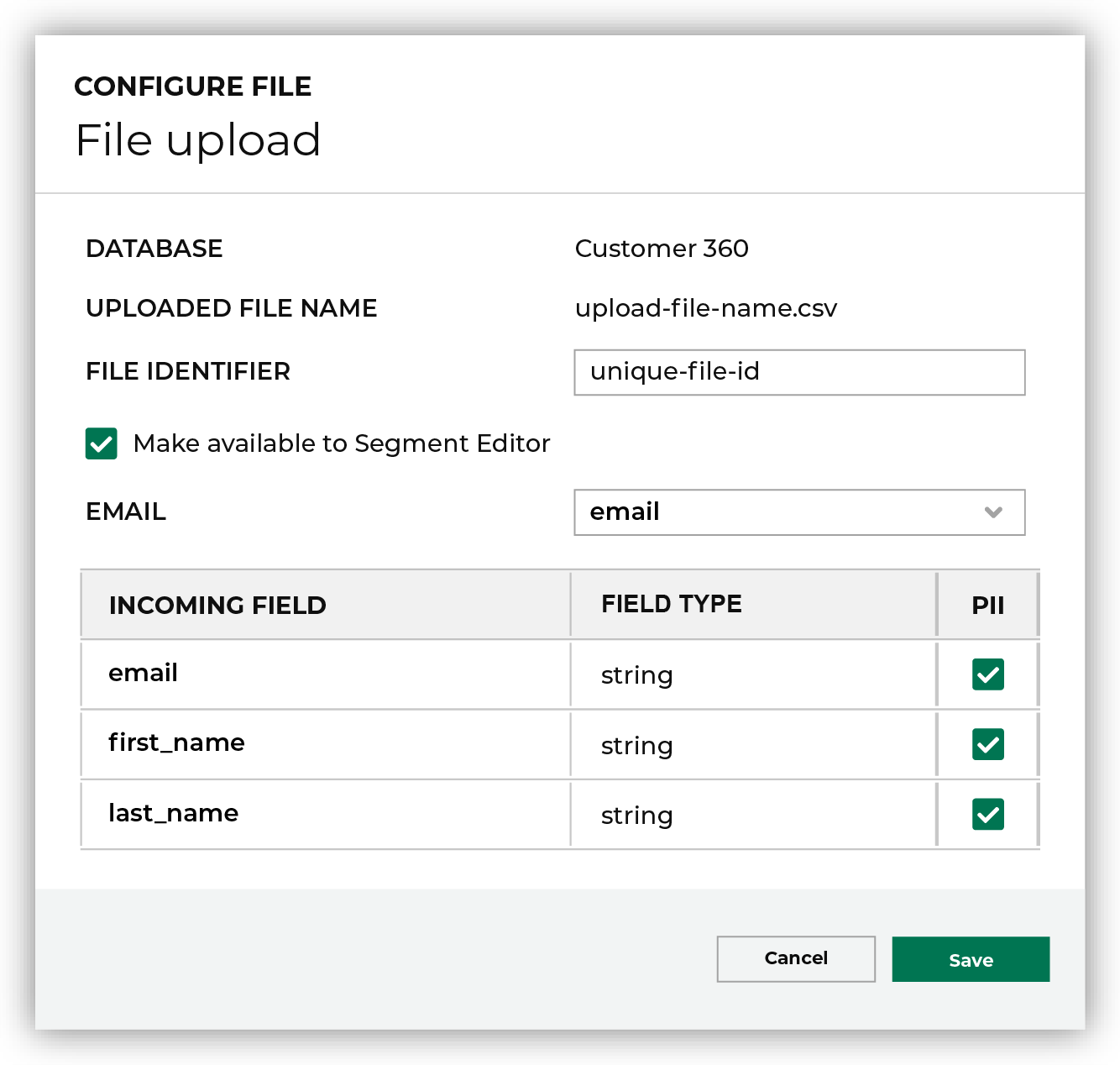
       #. Check out this diagram:

          .. image:: ../../images/modal-file-uploads.png
             :width: 320 px
             :alt: Step six.
             :align: left
             :class: no-scaled-link
For this

|
An intro for a series of steps.
|

|
An intro for a different series of steps. Lorem ipsum dolor set atemit.
|

|
Troubleshoot random authorization error.
|
Unordered lists
An unordered list has each list item preceded by a single asterisk * followed by a space.
Do this
* Item one
* Item two
For this
Item one
Item two
Lists within lists
Do not use lists within lists unless the list-within-a-list is in a list table.
Page layouts
All pages in Amperity documentation are configured to use the default page layout. This builds pages with:
A left sidebar with a global table of contents.
A right sidebar with a topic-specific table of contents.
A center that displays the page content.
Use the landing page layout for the root page on a docs collection. This layout omits the right and left sidebars and gives the page access to the full width of the browser window.
Put the :layout: attribute at the top of the file, just below the topic location string and set its value to “landing”.
For example:
.. https://docs.amperity.com/contributing/

:layout: landing
Make sure there is a row in-between the topic location string and :layout: and two rows in-between :layout: and any meta tags.
Page redirects
Pages can be redirected from the current URL to a different URL. This is useful when a page is deleted to ensure that readers are redirected to the new page.
Use the redirects.html template to create a redirect.
 1{#
 2  Redirect template.
 3  Add to html_additional_pages the filename pair for this page.
 4  Remove from Sphinx RST collection.
 5  Update URL for the target URL.
 6#}
 7{%- block doctype -%}
 8<!DOCTYPE html PUBLIC "-//W3C//DTD XHTML 1.0 Transitional//EN" "http://www.w3.org/TR/xhtml1/DTD/xhtml1-transitional.dtd">
 9{%- endblock %}
10
11<html xmlns="http://www.w3.org/1999/xhtml">
12  <head>
13    <meta http-equiv="Refresh" content="0; url='https://www.amperity.com'" />
14  </head>
15  <body role="document"></body>
16</html>
To add a redirect
Copy the
/contributing/_templates/redirects.html.Paste it into the
_templatesdirectory for the document collection in which topic to be redirected is located. Rename the file to be the name of the file to be redirected.Open the redirect file in TextMate. Update the url value in line 13 to be the full URL of the page to which a reader is redirected.
Open the
conf.pyfile located in the/sources/directory for the document collection in which the topic to be redirected is located. Find the html_additional_pages section and add the filename of the redirect to the list of additional pages.html_additional_pages = { "filename": "filename.html", "new-redirect": "new-redirect.html", }
Important
Use the filename of the redirect on both sides. The names must be in quotes, separated by a colon, the right side must have “.html” appended, and the entire row followed by a comma.
Save the changes and then run a local build. Open the build output and double-click the new redirect file and verify that it redirects you to the correct page.
Section references
Amperity single-sources content when it makes sense to do so using inclusions. Inclusions require a content boundary–a start and an end–and an identifier that is unique within the content collection.
A section references defines a unique content boundary for reusing content.
Section references follow the same naming pattern as anchor references, and then append -start or -end to the pattern to define the start and end of the content boundary.
For example
 1.. _rst-section-references:
 2
 3Section references
 4==================================================
 5
 6.. rst-section-references-start
 7
 8Amperity single-sources content when it makes sense to do so using :ref:`inclusions <rst-inclusions>`. Inclusions require a content boundary--a start and an end--and an identifier that is unique within the content collection.
 9
10A section references defines a unique content boundary.
11
12Section references follow the same naming pattern as :ref:`anchor references <rst-anchor-references>`, and then append ``-start`` or ``-end`` to the pattern to define the start and end of the content boundary.
13
14.. rst-section-references-end
.. rst-section-references-start–line 6–defines the start of the content boundary.. rst-section-references-end–line 14–defines the end of the content boundaryAn inclusion will include the content between the bounaries–lines 8-12–in the topic at the location of the
.. include::directive.
Important
Everything within the content boundary is included, including images, formatting, and links. If a link cannot be resolved after it is included Sphinx stops building and return an error.
See also
See also is not an admonition, but it behaves like one.
See also
Additional resources for an in-page example of when a See also block can be useful.
Caution
Use “See also” sparingly and only to reference meaningful content that could not be linked to from within the topic. The additional resources section at the end is an example of a good “See also”.
Tables
Tables are always fun. Amperity docs use the following table types:
Each table type requires very different approaches and not all of them are ideal for all table types.
In general
Use list tables as much as possible.
Keep the number of columns to 4 or fewer.
Use a header row.
CSV table
Use a CSV file that contains tabular information to build a table. For example, a CSV file that contains:
Header1,Header2
12345,67890
abcdefghijklmnopqrstuvwxyz,abcdefghijklmnopqrstuvwxyz
The .. csv-table:: directive has the following attributes:
Use
:file:to configure the path to the file. This file must be available to Sphinx at build time.Use
:widths:to configure column widths as a percentage. All widths must add up to 100%.Use
:header-rows:with a value of “1” to use the first row in the CSV file as the header row. Set this to “0” if there should not be a header row.
Do this
.. csv-table::
   :file: _static/test.csv
   :widths: 30, 70
   :header-rows: 1
For this
Header1 |
Header2 |
|---|---|
12345 |
67890 |
abcdefghijklmnopqrstuvwxyz |
abcdefghijklmnopqrstuvwxyz |
Grid table
Grid tables are built by physically spacing out the table within the topic, similar to how it appears on the page. These are easy when they are small.
Amperity documentation uses a grid table in a single location: the tables that list the allowed actions for policies .
Do this
+------------+------------+-----------+
| Header 1   | Header 2   | Header 3  |
+============+============+===========+
| body row 1 | column 2   | column 3  |
+------------+------------+-----------+
| body row 2 | Cells may span columns.|
+------------+------------+-----------+
| body row 3 | Cells may  | - Cells   |
+------------+ span rows. | - contain |
| body row 4 |            | - blocks. |
+------------+------------+-----------+
For this
Header 1 |
Header 2 |
Header 3 |
|---|---|---|
body row 1 |
column 2 |
column 3 |
body row 2 |
Cells may span columns. |
|
body row 3 |
Cells may span rows. |
|
body row 4 |
||
List table
A list table is built using the .. list-table:: directive with the following attributes:
Use
:widths:to configure column widths as a percentage. All widths must add up to 100%.Use
:header-rows:with a value of “1” to use the first row in the list table as the header row. Set this to “0” if there should not be a header row.
Important
The vertical alignment of a list table is important. Each row is delimited with a * character. Each column is delimited with a - character.
Do this
.. list-table::
   :widths: 30 70
   :header-rows: 1

   * - columnName
     - columnName
   * - **item1**
     - description
   * - **item2**
     - description

       More information about **item2**. Note the vertical alignment in the formatting.

       You can use

       #. Lists
       #. Images
       #. And other formatting options

       inside columns in a list table.
For this
columnName |
columnName |
|---|---|
item1 |
description |
item2 |
description More information about item2. Note the vertical alignment in the formatting. You can use
inside columns in a list table. |
Simple table
Simple tables are simple. The markup is focused on the vertical layout. Like grid tables, they are easy when they are small.
Do this
=====  =====  ======
   Inputs     Output
------------  ------
  A      B    A or B
=====  =====  ======
False  False  False
True   False  True
False  True   True
True   True   True
=====  =====  ======
For this
Inputs |
Output |
|
|---|---|---|
A |
B |
A or B |
False |
False |
False |
True |
False |
True |
False |
True |
True |
True |
True |
True |
Tabs
Use tabs selectively, such as for showing request code samples for APIs.
Do this
.. tab-set::

   .. tab-item:: cURL

      The following example shows how to use cURL to send a request to the **GET /campaigns** endpoint.

      .. code-block:: bash
         :linenos:

         curl --request GET \
                'https://tenant.amperity.com/api/campaigns \
                ?limit=12 \
                &with_total=true \
                &destination_data_template_id=ptg-1abcAB4C2' \
              --header 'amperity-tenant: tenant' \
              --header 'api-version: 2024-04-01' \
              --header 'Authorization: Bearer token'

      (This example is formatted for readability in a narrow page layout.)

   .. tab-item:: Python

      The following example shows how to use Python to send a request to the **GET /campaigns** endpoint. This example converts the JSON response into a CSV file named "campaigns.csv".

      .. code-block:: python
         :linenos:

         import requests
         import json
         import csv

         # URL for Campaigns endpoint
         url = "https://tenant-name.amperity.com/api/campaigns"

         # Required headers
         headers = {
           'accept': 'application/json',
           'authorization': 'Bearer token', # add token here
           'amperity-tenant': 'tenant-name',
           'api-version': 'version'
         }

         # Query parameter for data template IDs
         payload = {
           # 'destination_data_template_id': ''
         }

         # Get the response from the Campaigns endpoint
         response = requests.request("GET", url, headers=headers, params=payload)
         response_json = response.json()

         # Extract headers from the first data entry
         headers = list(response_json["data"][0].keys())

         # Specify the output CSV file path
         csv_file_path = "campaigns.csv"

         # Write data to a CSV file
         with open(csv_file_path, mode='w', newline='') as file:
           writer = csv.DictWriter(file, fieldnames=headers)
           writer.writeheader()
           for entry in response_json["data"]:
             writer.writerow(entry)

         print("CSV file generated successfully.")
For this
The following example shows how to use cURL to send a request to the GET /campaigns endpoint.
1curl --request GET \
2       'https://tenant.amperity.com/api/campaigns \
3       ?limit=12 \
4       &with_total=true \
5       &destination_data_template_id=ptg-1abcAB4C2' \
6     --header 'amperity-tenant: tenant' \
7     --header 'api-version: 2024-04-01' \
8     --header 'Authorization: Bearer token'
(This example is formatted for readability in a narrow page layout.)
The following example shows how to use Python to send a request to the GET /campaigns endpoint. This example converts the JSON response into a CSV file named “campaigns.csv”.
 1import requests
 2import json
 3import csv
 4
 5# URL for Campaigns endpoint
 6url = "https://tenant-name.amperity.com/api/campaigns"
 7
 8# Required headers
 9headers = {
10  'accept': 'application/json',
11  'authorization': 'Bearer token', # add token here
12  'amperity-tenant': 'tenant-name',
13  'api-version': 'version'
14}
15
16# Query parameter for data template IDs
17payload = {
18  # 'destination_data_template_id': ''
19}
20
21# Get the response from the Campaigns endpoint
22response = requests.request("GET", url, headers=headers, params=payload)
23response_json = response.json()
24
25# Extract headers from the first data entry
26headers = list(response_json["data"][0].keys())
27
28# Specify the output CSV file path
29csv_file_path = "campaigns.csv"
30
31# Write data to a CSV file
32with open(csv_file_path, mode='w', newline='') as file:
33  writer = csv.DictWriter(file, fieldnames=headers)
34  writer.writeheader()
35  for entry in response_json["data"]:
36    writer.writerow(entry)
37
38print("CSV file generated successfully.")
Thematic break
Add an <hr> tag into a topic using four hyphen characters: ----.
Do this
----
For this
Toctrees
All topics that appear in the left-side navigation must belong to a toctree.
Use the .. toctree:: directive to define a toctree. For example:
.. toctree::
   :hidden:

   Workstation setup <setup>
   Formatting guide <rst>
   Style guide <styles>
   Terminology <terminology>
You can use more than one toctree. For example, the topic for “Formatting guide” could have an additional toctree that shows those pages as childred of “Formatting guide” in the left-side navigation.
Toctree elements can also be embedded in non-index files. For example, the Operator and User guides use a series of “grid” topics, with filenames that start with grid_x.rst, to build out a layered experience for topics that should appear in the left-side navigation.
Orphans
Topics that belong to a document collection but do not appear in the left-side navigation are configured as orphans. This prevents a Sphinx error that occurs when a topic in the content collection is not listed in the toctree.
Put the :orphan: attribute at the top of the file, just below the topic location string.
For example:
.. https://docs.amperity.com/contributing/

:orphan:
Make sure there is a row in-between the topic location string and :orphan: and two rows in-between :orphan: and any meta tags.
TODO
A TODO is not an admonition, but it behaves like one. TODO is configured for use within Amperity docs.
Do this
.. todo: This is a TODO.
Important
A TODO has a single colon in the syntax: .. todo:.
The content in a TODO is not printed in the docs output. Use sparingly. Be clear to help ensure that another technical writer knows what to do with the TODO.
Tip
For an example of a TODO look at the source code.
Tokens
Amperity docs use tokens for variables, strings, and icons that have common use across docs sets:
Note
Tokens are used to solve build and maintanence problems. For example, a URL that is used in lots of places is harder to update if it changes. Icons from some libraries, such as Font Awesome, do not display inline in reStructuredText and need to be converted to raw HTML, and inline Unicode characters parses literally.
Global tokens
Global tokens are used sparingly. Examples of global tokens include:
Common URLs, such as for Snappass.
Inline icons for Font Awesome, such as , , and .
Unicode characters, such as $, ₱, £, €, ₹, ¥, and 원.
The source for global tokens is a text file located in the /shared directory. Each global token is defined using the .. raw:: directive or .. unicode:: directive. The variable is declared between pipe characters | as part of the directive, along with what to convert the variable to within the topic.
For URLs
.. |ext_snappass| raw:: html

   <a href="https://snappass.amperity.com/" target="_blank">Snappass</a>
For icons
.. |notification-error| raw:: html

   <i class="fa-solid fa-circle-exclamation" style="color: #e44f00;"></i>
For Unicode characters
.. |u-dollar| unicode:: U+00024
.. |u-peso| unicode:: U+020B1
.. |u-pound| unicode:: U+000A3
.. |u-euro| unicode:: U+020AC
.. |u-rupee| unicode:: U+020B9
.. |u-yen| unicode:: U+000A5
.. |u-won| unicode:: U+0C6D0
Use global tokens in paragraphs
Do this
* Common URLs, such as for |ext_snappass|.
* Inline icons for Font Awesome, such as |notification-error|, |policy|, and |checkmark-required|.
* Unicode characters, such as |u-dollar|, |u-peso|, |u-pound|, |u-euro|, |u-rupee|, |u-yen|, and |u-won|.
For this
Common URLs, such as for Snappass.
Inline icons for Font Awesome, such as , , and .
Unicode characters, such as $, ₱, £, €, ₹, ¥, and 원.
Topic-specific tokens
Topic-specific tokens provide values to templates that build common sections across source, destination, and campaign topics. For example, at the top of the Braze destination topic :
.. |destination-name| replace:: Braze
.. |plugin-name| replace:: "Braze"
.. |credential-type| replace:: "braze"
.. |required-credentials| replace:: "API key"
.. |audience-primary-key| replace:: "email"
.. |what-send| replace:: email lists
.. |where-send| replace:: |destination-name|
.. |filter-the-list| replace:: "braz"
These provide Braze-specific values for steps and descriptions that are common to all destinations and are documented using a shared template for the common sections.
The .. |destination-name| replace:: Braze entry is also used to ensure that “Braze” is spelled correctly throughout the topic.
Topic location
The topic location is a string added to the top of each file as a comment. All topics in the same content collection should have an identical string. For topics in the contributing collection:
.. https://docs.amperity.com/contributing/
This string helps a technical writer know which collection a topic is in when they are editing multiple files across collections in the same text editor.
Topic titles
Topic titles must be configured like this:
==================================================
Topic title
==================================================
The length of topic titles is the same as header lengths: 50 characters.
Variables
Variables are a way to write content that applies to many topics. Variables rely on topic-specific tokens.
For example, some destinations for paid media, including Amazon Ads, Google Ads, Google Customer Match, The Trade Desk, and Yahoo DSP, have a configuration setting named Membership duration. Use this setting to configure the length of time after which customers are removed from an audience. Each destination has its own preference for defining this measurement and lengths vary.
Destination |
Variables |
|---|---|
Amazon Ads |
Amazon Ads removes customers in 0-34,300,800 seconds. The Amazon Ads topic uses the following variables: .. |duration| replace:: (in seconds)
.. |duration-value| replace:: "0" - "34,300,800"
|
Google Ads Google Customer Match |
Google Ads and Google Customer Match removes customers in 0-540 days. The Google Ads and Google Customer Match topics use the following variables: .. |duration| replace:: (in days)
.. |duration-value| replace:: "0" - "540"
|
The Trade Desk |
The Trade Desk removes customers in 0-180 days. The The Trade Desk topic uses the following variables: .. |duration| replace:: (in days)
.. |duration-value| replace:: "0" - "180"
|
Yahoo DSP |
Yahoo DSP removes customers in 0-90 days. The Yahoo DSP topic uses the following variables: .. |duration| replace:: (in days)
.. |duration-value| replace:: "0" - "90"
|
The challenge is to come up with a description for Membership duration for use in all destination topics that have configurable audience membership lengths.
The following paragraphs, each bracketed by section references, are located in the /shared/destination_settings.rst file.
.. setting-common-membership-duration-start

The length of time |duration|, after which a customer is removed from this audience. This value may be between |duration-value|. Set this value to "0" to remove all audience members.

.. setting-common-membership-duration-end


.. setting-common-membership-duration-frequency-start

To ensure customers stay in this audience ensure the frequency at which Amperity sends the audience to |destination-name| is less than the membership duration.

.. setting-common-membership-duration-frequency-end
The following examples show how variables work.
Destination |
Variables |
|---|---|
Amperity |
.. |destination-name| replace:: Amperity
.. |duration| replace:: (in weeks)
.. |duration-value| replace:: "2", "4", or "6"
|
These variables are located at the top of this file. View the source to see them.
Use an inclusion to include the shared descriptions into any topic that has the Membership duration setting.
Do this
.. include:: ../../shared/destination_settings.rst
   :start-after: .. setting-common-membership-duration-start
   :end-before: .. setting-common-membership-duration-end

.. include:: ../../shared/destination_settings.rst
   :start-after: .. setting-common-membership-duration-frequency-start
   :end-before: .. setting-common-membership-duration-frequency-end
For this
The length of time (in weeks), after which a customer is removed from this audience. This value may be between “2”, “4”, or “6”. Set this value to “0” to remove all audience members.
To ensure customers stay in this audience ensure the frequency at which Amperity sends the audience to Amperity is less than the membership duration.
Video
The following video formats can be embedded in a topic:
Arcade videos
Use the .. raw:: directive to embed Arcade videos within an iframe.
Do this
.. raw:: html

    <!--ARCADE EMBED START--><div style="position: relative; padding-bottom: calc(50.34722222222222% + 41px); height: 0; width: 100%;"><iframe src="https://demo.arcade.software/OUDT8aWyHWX9jV2HaQvY?embed&embed_mobile=tab&embed_desktop=inline&show_copy_link=true" title="Predicted Churn V8_Arcade" frameborder="0" loading="lazy" webkitallowfullscreen mozallowfullscreen allowfullscreen allow="clipboard-write" style="position: absolute; top: 0; left: 0; width: 100%; height: 100%; color-scheme: light;" ></iframe></div><!--ARCADE EMBED END-->
For this
URL-based videos
The sphinxcontrib-video extension enables embedding URL-based videos within topics. The :width: property should always be set to “100%”. The .. video:: directive only requires the full URL to a video.
The following MIME types are supported: MP4, OGM, OGV, OGG, and WEBM.
Do this
.. video:: https://interactive-examples.mdn.mozilla.net/media/cc0-videos/flower.webm
   :width: 100%
For this
Note
Do not use the following directive attributes: :autoplay:, :nocontrols:, :controlslist:, :height:, :loop:, :poster:, :playsinline:, :class:, :align:, :caption:, or :figwidth:.
YouTube videos
The sphinxcontrib-youtube extension enables embedding YouTube videos within topics. The :width: property should always be set to “100%”. The .. youtube:: directive requires the unique YouTube ID for the video.
Do this
.. youtube:: E3BBaLPYukA
   :width: 100%
For this