
 Operators Guide



Configure destinations for OneSignal
OneSignal is a customer engagement platform for sending push notifications, email, SMS, and in-app messages. It keeps a user record for each person, carrying that person’s subscriptions and a set of custom data tags that teams use to build segments and personalize messages.
The OneSignal connector sends customer attributes from Amperity into a OneSignal app, where they are stored on each person as data tags. Your OneSignal team then builds audiences and personalizes messages using those tags.
Each row in the query results is one person. The external_id column supplies that person’s OneSignal External ID, which is how Amperity and OneSignal agree on who is who. Every other column except email and phone is sent as a data tag — see Data tags. An email or phone value creates a subscription on that person instead — see Subscriptions.
Amperity syncs attributes incrementally. Only the rows whose attributes changed since the last successful run are sent, and unchanged rows are reported as sent from cache. Each row is upserted: a person is created when no OneSignal user carries that External ID, and updated when one does.
Important
This connector does not create or manage a list or segment in OneSignal. OneSignal segments are defined by filter rules rather than by a membership list, so there is nothing for Amperity to add people to. Amperity writes the data tags, and you build the segments that filter on them. To act on an Amperity audience in OneSignal, create a OneSignal segment that filters on the tag Amperity sends. Return every customer in the query and let that tag’s value mark who qualifies — see Data tags.
Note
This destination uses the OneSignal REST API , sending each person with Create user .
Beta
The OneSignal connector is currently in beta. Contact your Amperity representative to learn more.
Important
The connector reads each row’s External ID from a column named external_id. If your query produces the identifier under another name, alias it — for example SELECT amperity_id AS external_id. A send whose query results have no external_id column fails before any data is sent, with a message naming the missing column.
Important
Column names are matched exactly, in lower case. external_id, email, and phone are recognized only when spelled that way, and a column spelled any other way is not recognized even though it passes validation. An identifier column under another spelling stops the send, and an email or phone column under another spelling is written as a data tag instead of creating a subscription. Alias these columns in your query when your source data spells them differently.
Note
Amperity validates the connection when the destination is saved, by requesting the configuration of the app named by the App ID setting. A key and App ID that do not belong to the same app are caught then rather than during the first send, and the destination is not saved.
Caution
Amperity writes data tags named after the columns in your query results. If your own app or website also writes tags with those names through a OneSignal SDK, the last write wins and the values become unpredictable. Treat the tag names this destination manages as owned by Amperity, and do not write them from another source.
Note
OneSignal has no bulk endpoint for users, so Amperity sends one request per changed person, several at a time. A large send takes proportionally longer than a destination that uploads all of its records in one operation.
Subscriptions
Two columns are treated as subscriptions rather than as data tags.
Column |
What it creates |
|---|---|
|
An Email subscription on the person, using the column value as the email address. |
|
An SMS subscription on the person, using the column value as the phone number. |
Both columns are optional. A row that has neither still updates that person’s data tags, and a row whose email or phone is empty is sent without that subscription rather than with an empty one.
Repeated runs do not create duplicate subscriptions. OneSignal identifies a subscription by its value, so sending the same address or number again updates the existing subscription rather than adding another one.
Important
phone must be in E.164 format: a leading plus sign, then the country code, then the national number, with no spaces, dashes, or parentheses. For example, +12065551234. Amperity sends the value as your query produces it, apart from removing surrounding whitespace, so a national number (2065551234), a formatted number ((206) 555-1234), or a number with no country code is rejected by OneSignal. email is sent the same way, with no normalization. A rejected value fails the whole row, which means that person’s data tags are not written either, so normalize these columns in your query when your source data is not already in the required form.
Note
Amperity cannot create push subscriptions. A push token is issued to a device or browser by a OneSignal SDK and cannot be created from a server, so a push audience is registered by your own app or website rather than by this destination. Amperity creates Email and SMS subscriptions only.
Get details
Review the following details before configuring credentials for OneSignal and before configuring Amperity to send customer attributes to a OneSignal app.

|
Credential settings Required The credential field is required. No call can be made without it. App API Key
|
|
|
Required configuration settings App ID
User identifier
|
|
|
Query results The query that sends to this destination must return a column named Check your OneSignal plan’s data tag allowance before you decide how many columns to return, avoid the tag names OneSignal reserves, and make sure |
Configure credentials
Configure credentials for OneSignal before adding a destination.
An individual with access to OneSignal should use SnapPass to securely share “App API Key” details with the individual who configures Amperity.
To configure credentials for OneSignal

|
From the Settings page, select the Credentials tab, and then click the Add credential button. |
|
In the Credentials settings dialog box, do the following: From the Plugin dropdown, select OneSignal. Assign the credential a name and description that ensures other users of Amperity can recognize when to use this destination. |
|
The settings that are available for a credential vary by credential type. For the “onesignal” credential type, configure settings, and then click Save. Required App API Key
|
Add destination
Use a sandbox to configure a destination for OneSignal. Before promoting your changes, send a sample audience, and then verify the results in OneSignal. After verifying the end-to-end workflow, push the destination from the sandbox to production.
To add a destination for OneSignal
|
|
Open the Destinations page, select the New destinations button, and then select Orchestration. 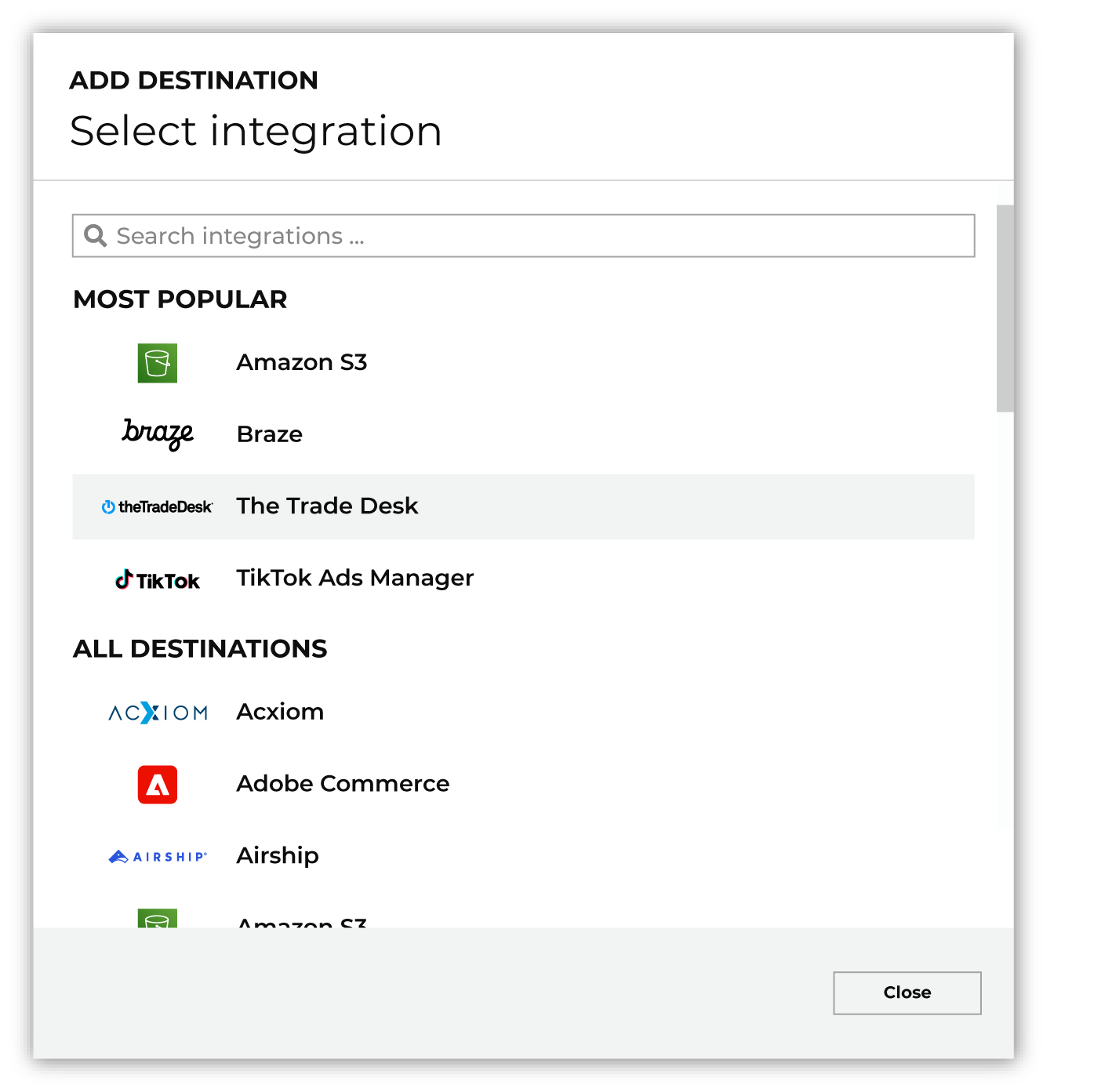
To configure a destination for OneSignal, do one of the following:
|
|
|
Select the credential for OneSignal from the Credential dropdown, and then click Continue. Tip Amperity validates the connection when the destination is saved. If the connection cannot be validated, an error is shown and the destination is not saved. |
|
|
In the “Destination settings” dialog box, assign the destination a name and description that ensures other users of Amperity can recognize when to use this destination. Configure business user access By default a destination is available to all users who have permission to view personally identifiable information (PII). Enable the Admin only checkbox to restrict access to only users assigned to the Datagrid Operator and Datagrid Administrator policies. Enable the PII setting checkbox to allow limited access to PII for this destination. Use the Restrict PII access policy option to prevent users from viewing data marked as PII anywhere in Amperity and from sending data to downstream workflows. |
|
Configure the following settings, and then click “Save”. App ID
User identifier
|

|
After configuring this destination users may use orchestrations to send query results OneSignal. |

|
Validate the audience with OneSignal by using a sample audience with a very small membership. For example: 10 or 100 members or the minimum audience size recommended by OneSignal. Send the sample audience to OneSignal and verify the sample audience is correct in OneSignal. Make adjustments if necessary. Only send full audiences after validation is complete. |
Data validation
Amperity sends every changed row, except for rows it cannot build a valid request for. A row is reported as failed, and the run continues, when any of the following is true:
The
external_idcolumn is empty for that row, so the person cannot be addressed in OneSignal.The row’s External ID already belongs to a different OneSignal user. This usually means a duplicate value in the identifier column, or an External ID that was previously assigned to another user.
OneSignal rejects that row’s request as malformed, most often because of an
emailorphonevalue it does not accept. The whole row fails, so that person’s data tags are not written either.OneSignal rejects that row as a conflict for any other reason. Only that row is affected, and the rest of the run continues.
Failed rows are reported in the destination’s run details. A run shows at most 25 distinct error messages; the failed-row count still reflects every failure, so a problem affecting many rows does not bury the output in copies of one message.
Some conditions stop the entire run instead of failing individual rows:
The query results have no
external_idcolumn. This is caught before any data is sent.OneSignal rejects the App API Key. Confirm that the connected credential uses an App API Key from Settings > Keys & IDs.
The App API Key is valid but does not grant access to the configured App ID. Confirm that the key and the App ID come from the same OneSignal app.
A person’s data tags would exceed the allowance on your OneSignal plan. Nothing from the rejected request is applied.
Each of these is a property of the credential, the settings, or the OneSignal plan rather than of one row. A rejected key and an App ID the key cannot reach fail every remaining row identically; the tag allowance applies per person, so it fails every person already at the limit. In both cases Amperity stops the run rather than working through the rest of the query results.
Note
A run that stops partway has already written the rows it sent before the failure. Amperity completes the requests that are in flight and then stops, so those people are updated in OneSignal and the rest are not.
Rate-limit responses and transient OneSignal server errors are retried automatically with backoff. Rows affected by errors that persist after the retries are reported as failed.