
 Operators Guide



Configure destinations for Amplitude
Amplitude is a self-service digital analytics platform to understand your users, drive conversions, and increase engagement, growth and revenue.
The Amplitude connector sends user properties, events, group properties, audiences, and deletion requests from Amperity into an Amplitude project. What each row becomes is set by the Write mode setting on the orchestration that sends to this destination, and an orchestration performs a single write mode for the entire run.
Each row is addressed by a single identity. The query results must include a column named identity_value that carries that identity: the Amplitude user_id in user-properties and events modes, the group’s value in group-properties mode, the cohort member in cohort-push mode, or the identity to delete in user-deletion mode.
user-properties, group-properties, and cohort-push modes sync incrementally. Amperity sends only what changed since the last successful run and reports unchanged rows as sent from cache. events and user-deletion modes have no incremental tracking — they process every row in the query results on each run, so scope those queries to the rows you intend to send.
Important
The connector reads each row’s identity from a column named identity_value. If your query produces the identity under another name, alias it — for example SELECT user_id AS identity_value. A send whose query results have no identity_value column fails before any data is sent, with a message naming the missing column.
The query results must include a column named identity_value. What else the query needs depends on the destination’s write mode:
user-properties and group-properties send every other column in the results as a property, so return only the columns you want written.
events also needs the two columns named by the Event name column and Timestamp column settings. Every other column becomes an event property.
cohort-push and user-deletion send nothing but
identity_value. Other columns in the results are ignored.
Note
This destination uses several of Amplitude’s REST APIs : the HTTP V2 and Batch Event Upload APIs for events, the Identify and Group Identify APIs for user and group properties, the Behavioral Cohorts API for audiences, and the User Privacy API for deletion requests.
Beta
The Amplitude connector is in beta. Contact your Amperity representative to learn more.
Important
Set Attribute updates only on every orchestration whose write mode is not cohort-push. This setting has no reliable default — an orchestration that never has it set explicitly fails before any data is sent, with the message “Plugin configuration: missing audience name”. Leave it cleared only for cohort-push.
Note
A successful connection test confirms that both credential fields are valid and correctly paired against Amplitude. It does not exercise the ingest endpoints that user-properties, events, and group-properties modes write through, so it does not confirm that those modes will land data. After your first run, confirm the records appear in Amplitude.
Note
Configure one orchestration per write mode, each sending its own query. To send more than one write mode against the same Amplitude project, configure a separate orchestration, with its own query, for each.
Note
The Amplitude region setting must match the region your Amplitude project is hosted in. Amperity sends to different Amplitude hosts for us and eu, and a mismatch sends every request to the wrong host, so the run fails.
Write modes
The Write mode setting selects what each row does. You choose the write mode, and its mode-specific settings, when you configure the orchestration that sends to this destination.
Write mode |
What it sends |
|---|---|
user-properties |
The default. Writes each row as properties on an Amplitude user, addressed by |
events |
Sends each row as a named Amplitude event. Requires the Event name column and Timestamp column settings, which name the columns that supply the event name and event time; every column other than those two and |
group-properties |
Writes each row as properties on an Amplitude group, addressed by |
cohort-push |
Sends one Amperity audience to Amplitude as one behavioral cohort. Only |
user-deletion |
Submits a deletion request to Amplitude for each row’s identity, for honoring data-subject deletion requests. Only |
Property values are sent with the type your query returns them as — a number stays a number, a true or false value stays a boolean. Amplitude fixes a property’s type the first time it is written, so a column that arrives as text on its first run stays text in Amplitude even if later runs send it as a number.
In user-properties and group-properties modes, a column whose value is null for a given row clears that property in Amplitude rather than leaving the previous value in place. Because these modes only resend a row when something about it changes, a cleared value that was dropped instead would leave Amplitude’s copy stale indefinitely. A column named in Set-once properties is an exception: a null value in one of those columns is skipped, because a write-once property has nothing to undo.
Important
Amperity does not send Amplitude a deduplication key with an event, so an event that is sent twice is counted twice. Because events mode re-sends every row in the query results on each run, scope the query so that a run sends only events that have not been sent before.
Caution
user-deletion mode asks Amplitude to delete each identity’s data. Amplitude schedules the request and processes it within 30 days; it can be revoked in Amplitude until three days before its scheduled run date, after which it cannot be stopped and Amperity cannot restore the data. A successful run means Amplitude accepted the request, not that the data is already gone — Amperity does not track the request to completion. Restrict these orchestrations to the identities you intend to delete, and see the Delete from entire org setting before enabling it.
Behavioral cohorts
In cohort-push mode, one orchestration or campaign maintains one Amplitude behavioral cohort, named by the Cohort name setting. Amperity creates the cohort on the first run and updates the same cohort on later runs of that name.
Every cohort’s first run sends the full audience, in either Cohort sync mode, because Amplitude assigns the cohort’s identifier only on that first full send. From the second run onward, replace keeps re-sending the full audience and append sends only the members added and removed since the last run.
Important
Amplitude only recognizes identities it has already seen. An identity that has never been sent through user-properties or events mode is not matched into a cohort — Amplitude reports it as invalid, and Amperity reports those rows as failed. Send an audience’s identities as user properties or events before, or alongside, pushing them into a cohort.
If the cohort is deleted in Amplitude between runs, the next run creates a replacement cohort under the same name and continues from there. The replacement is a new cohort, so anything in Amplitude that referenced the deleted one — a chart, a saved analysis — needs to be pointed at the new cohort.
An audience that is empty on a given run is not sent: Amplitude rejects an empty membership, so the cohort keeps the membership it already had. This is reported as a warning in the run details rather than as a failure.
Volume and rate limits
Amperity batches each write mode to Amplitude’s own documented per-request limits and paces requests to stay inside its rate limits. Rate-limit and server-error responses are retried automatically with backoff.
Write mode |
Limits that shape a run |
|---|---|
user-properties |
Amplitude documents no per-request limit for this endpoint. Amperity sends 100 users per request, an Amperity-side choice rather than an Amplitude limit. Amplitude separately throttles updates to any single user to 1,800 per hour. |
events |
steady-state sends 10 events per request. backfill sends up to 2,000 events or 20 MB per request, Amplitude’s documented cap for the Batch endpoint. Amplitude throttles events for any single user to 30 per second. |
group-properties |
Amplitude caps a request at 1,024 groups, 1,024 group properties, and 1 MB, whichever is reached first. Amperity splits on all three. |
cohort-push |
Amplitude caps a request at 100,000 identifiers and a cohort at 2,000,000 members. |
user-deletion |
Amplitude caps a request at 100 identifiers and accepts 1 request per second, with up to 8 in flight at once. |
An audience over the 2,000,000-member cohort limit is rejected before anything is sent, with a message naming the limit. This check applies when the full audience is sent — on a first run, or whenever Cohort sync mode is replace. It does not apply to append runs, which only ever see that run’s own additions and removals and not the cohort’s total size in Amplitude.
Note
Limits are applied per run. Two orchestrations that send to the same Amplitude project at the same time are not paced against each other, so overlapping schedules can reach Amplitude’s project-wide limits sooner than either run would alone.
Get details
Review the following details before configuring credentials for Amplitude and before configuring Amperity to send user properties, events, group properties, audiences, and deletion requests to an Amplitude project.

|
Credential settings Required Both credential fields are required. No call can be made without them. API Key
Secret Key
|
|
|
Required configuration setting Identity column
|
|
|
Optional destination settings Amplitude region
Set-once properties
|
|
|
Orchestration settings These are chosen for each orchestration that sends to this destination, not on the destination itself. Write mode
Attribute updates only
Event name column
Timestamp column
Sync cadence
Group type
Cohort name
Cohort sync mode
Cohort identifier type
Cohort owner email
Cohort published
Amplitude app ID
Deletion identifier type
Deletion requester
Delete from entire org
|
Configure credentials
Configure credentials for Amplitude before adding a destination.
An individual with access to Amplitude should use SnapPass to securely share “API Key” and “Secret Key” details with the individual who configures Amperity.
To configure credentials for Amplitude

|
From the Settings page, select the Credentials tab, and then click the Add credential button. |
|
In the Create credential dialog box, do the following:
|
|
The settings that are available for a credential vary by credential type. For the “amplitude” credential type, configure settings, and then click Save. Required Both credential fields are required. API Key
Secret Key
|
Add destination
Use a sandbox to configure a destination for Amplitude. Before promoting your changes, send a sample audience, and then verify the results in Amplitude. After verifying the end-to-end workflow, push the destination from the sandbox to production.
To add a destination for Amplitude
|
|
Open the Destinations page, select the New destinations button, and then select Orchestration. 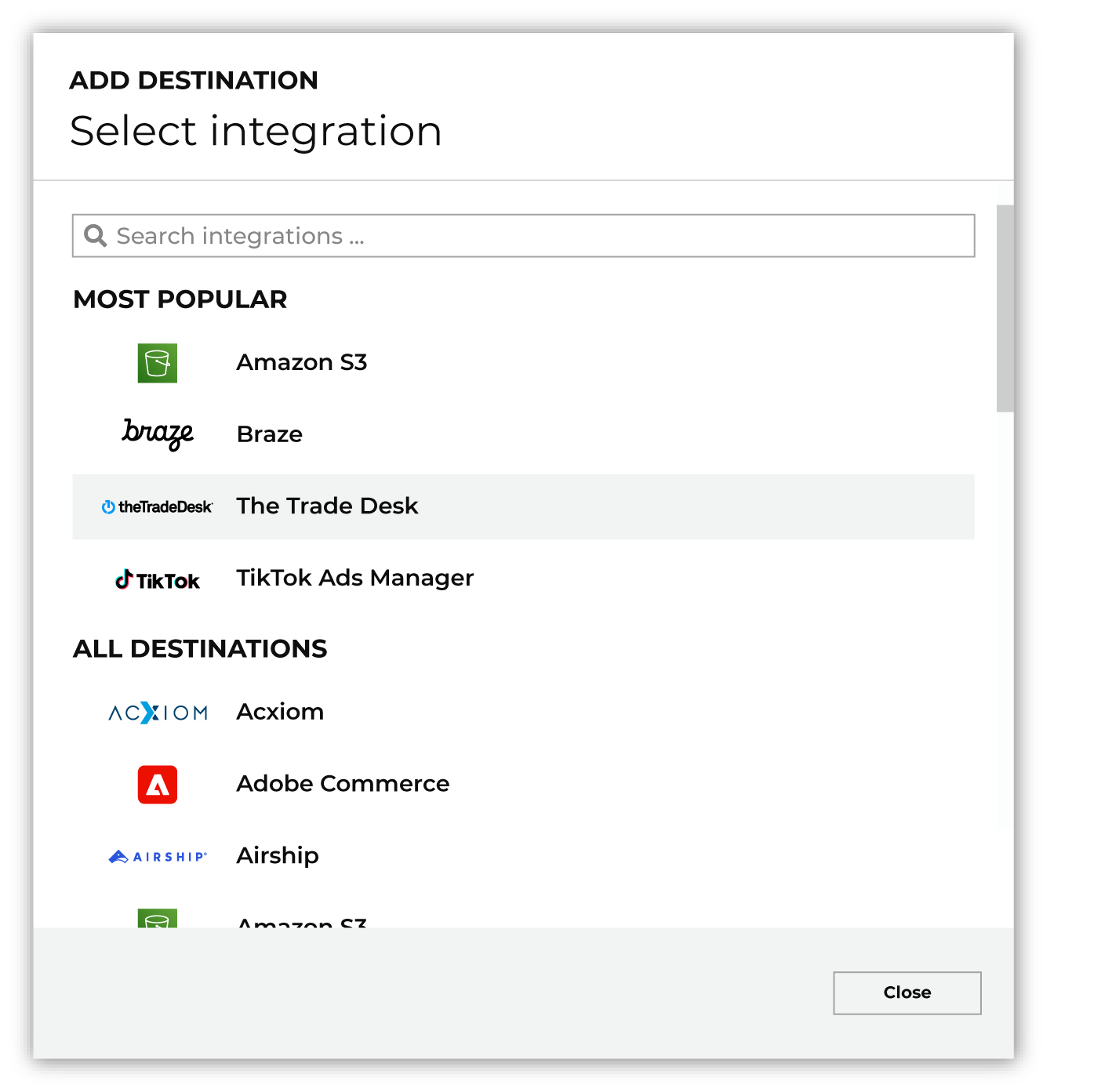
To configure a destination for Amplitude, do one of the following:
|
|
|
Select the credential for Amplitude from the Credential dropdown, and then click Continue. Tip Amperity validates the connection when the destination is saved. If the connection cannot be validated, an error is shown and the destination is not saved. |
|
|
In the “Destination settings” dialog box, assign the destination a name and description that ensures other users of Amperity can recognize when to use this destination. Configure business user access By default a destination is available to all users who have permission to view personally identifiable information (PII). Enable the Admin only checkbox to restrict access to only users assigned to the Datagrid Operator and Datagrid Administrator policies. Enable the PII setting checkbox to allow limited access to PII for this destination. Use the Restrict PII access policy option to prevent users from viewing data marked as PII anywhere in Amperity and from sending data to downstream workflows. |

|
Configure the following settings, and then click “Save”. Identity column
Amplitude region
Set-once properties
|

|
After configuring this destination users may use orchestrations to send query results Amplitude. |

|
Validate the audience with Amplitude by using a sample audience with a very small membership. For example: 10 or 100 members or the minimum audience size recommended by Amplitude. Send the sample audience to Amplitude and verify the sample audience is correct in Amplitude. Make adjustments if necessary. Only send full audiences after validation is complete. |
Data validation
Amperity sends every row in the query results, except for rows it cannot build a valid request for. A row is skipped and reported as failed, and the run continues, when any of the following is true:
The
identity_valuecolumn is empty for that row, in any write mode.The write mode is user-properties or events and the row’s
identity_valueis shorter than five characters. Five characters is Amplitude’s documented minimum id length for event ingest; Amperity applies it to user properties as well. This minimum does not apply to the other three modes.The write mode is events and the Event name column is empty for that row.
The write mode is cohort-push and Amplitude does not recognize the identity, because it has not been sent through user-properties or events mode first.
Amplitude rejects the request that row belongs to.
Skipped rows are reported in the destination’s run details. Identical messages are grouped with a count rather than repeated, and if a run produces more than 100 distinct messages, the rest are summarized as a count.
How much a rejection costs depends on the write mode, because Amplitude reports failures differently per endpoint:
In user-properties and group-properties modes, Amplitude accepts or rejects a request as a whole and reports no per-row detail. One bad value fails every row in that request — up to 100 users, or up to 1,024 groups.
In events mode, Amplitude names the specific events it rejected. Amperity reports those as failed, then resends the rest of the batch once so that valid events are not lost alongside an invalid neighbor.
In cohort-push mode, Amplitude reports how many identifiers it matched, so only the unmatched ones are reported as failed. On an append run, an identifier that Amplitude skips when removing a member is reported as a warning rather than a failure, because an identifier that is already not in the cohort is the intended end state.
In user-deletion mode, every identifier in a request must already exist in Amplitude or the whole request fails — up to 100 identities. Keep these orchestrations scoped to identities Amplitude has already seen.
Some conditions stop the entire run instead of failing individual rows, and are caught before any data is sent:
The query results have no
identity_valuecolumn.Set-once properties names a column that is not in the query results, or names the identity column itself.
The write mode is events and the Event name column or Timestamp column is missing from the query results.
A required mode setting is not set — Group type in group-properties mode; Event name column or Timestamp column in events mode; Cohort name, Cohort identifier type, Cohort owner email, or Amplitude app ID in cohort-push mode; Deletion identifier type or Deletion requester in user-deletion mode.
Attribute updates only is not set on a write mode that requires it, or is set on a cohort-push orchestration.
The audience is over Amplitude’s 2,000,000-member cohort limit, on a run that sends the full audience.
A run also stops when Amplitude rejects the credentials, when it blocks the request, when the account’s plan does not cover the endpoint being called, or when the configured Amplitude region does not match the project. These conditions would fail every remaining request the same way, so the run stops rather than reporting every row as failed. Rate-limit responses and transient Amplitude server errors are retried automatically with backoff; if they persist after retries, the affected rows are reported as failed.
Note
If a single row carries more data than fits in one request — in group-properties mode, more than 1 MB or 1,024 properties for one group; in events mode on the backfill cadence, more than 20 MB for one event — the run stops with an error naming the columns involved. Unlike the conditions above, this is found while the query results are being sent, so on a large send some requests may already have reached Amplitude before the run stops.