
 Operators Guide



Configure destinations for Mixpanel
Mixpanel is a product analytics platform. It records the events that a brand’s apps and website send, and maintains user profiles and group profiles that teams use to analyze product usage, build reports, and segment their audiences.
The Mixpanel connector sends user profile properties, group profile properties, events, and deletion requests from Amperity into a Mixpanel project. What a destination writes is set by the Operation setting, and a destination performs one operation. To send more than one, configure a separate destination for each operation, each with its own query, all pointing at the same Mixpanel project.
Amperity reads a small set of fixed column names from the query results and sends every other column to Mixpanel as a property of the same name. Which fixed columns a destination needs depends on its operation — see Operations.
Every run sends the whole query result, not only the rows that changed since the last run. Profile properties are overwritten in place, so re-sending them changes nothing. Events carry a deduplication key, but it recognizes a repeated event only while the row stays identical — see How values are sent. Every row sent counts toward your Mixpanel usage, so scope each query, and choose each schedule, with that in mind.
Note
This destination uses Mixpanel’s Ingestion API — Import Events for events, User Profiles and Group Profiles for profile properties — and its GDPR and CCPA API for deletion requests.
Beta
The Mixpanel connector is in beta. Contact your Amperity representative to learn more.
Important
The distinct_id that Amperity sends must be the same identifier that your own apps and website already send to Mixpanel. That is rarely the Amperity ID, so choose the column that carries your Mixpanel identifier. An identifier Mixpanel has not seen before creates a new profile rather than updating an existing one.
Note
Testing the connection writes nothing to your Mixpanel project. It confirms that the service account can see the project with a role that can send data, that the project is in a supported data residency, that the Project token belongs to that project, and — when the credential carries one — that the GDPR OAuth token works. Test the connection after changing any of those values.
Operations
The Operation setting selects what a destination writes, along with the columns its query results must contain. Column names are matched without regard to letter case, so DISTINCT_ID and distinct_id are the same column.
Important
A query must produce these columns under exactly these names. When yours produces them under other names, alias them — for example SELECT customer_id AS distinct_id. A run whose query results are missing a column its operation requires fails before any data is sent, with a message naming each missing column.
Operation |
Required columns |
Optional columns |
What it sends |
|---|---|---|---|
user-profiles |
|
Sets properties on a Mixpanel user profile, addressed by |
|
group-profiles |
|
Sets properties on a Mixpanel group profile, addressed by |
|
events |
|
|
Sends each row as a Mixpanel event, so that history your own apps did not send can be analyzed alongside the events they did. Every column other than the four named here becomes an event property. |
deletions |
|
Files a GDPR or CCPA deletion request for each user named by |
What each fixed column carries:
distinct_id— the user’s identifier in Mixpanel.group_id— the group’s identifier, such as a company ID, under the configured Group key.event— the event’s name, such asPurchase.time— when the event happened. A date and time, a date on its own (read as midnight UTC), or a Unix timestamp in seconds or milliseconds. Two shapes cannot be read, and their rows are reported as failed: a date and time held as text without a timezone, such as2026-09-30T10:00:00, and a Unix timestamp held in a decimal column, which arrives with a fractional part. A text date and time must carry a timezone, and a Unix timestamp must be in an integer column — or give the column a date-time type in Amperity and let Amperity format it.insert_id— an optional per-event identifier that Mixpanel uses to recognize duplicates. See How values are sent.
Caution
The deletions operation cannot be undone. Mixpanel deletes every event and profile it holds for each identifier sent, and once it begins processing a request the deletion cannot be reversed. Restrict a deletions destination to the users you intend to delete, and review its query before every run.
Note
A deletions run files the requests and records the request IDs that Mixpanel returns; those IDs appear in the run’s output and are your audit trail. Mixpanel can take up to 30 days to complete a deletion request, and Amperity does not track a request to completion — a successful run means the requests were accepted, not that the data is already gone. Mixpanel allows a request to be canceled until it begins processing, and those request IDs are what identify it there; Amperity cannot cancel a request it has filed.
Data residency
Mixpanel hosts projects in the United States, the European Union, and India. Amperity asks Mixpanel which residency hosts your project at the start of every run and sends that run to the matching host. There is no region setting to configure.
This is deliberate. Data sent to the wrong Mixpanel region is answered with a success response and then discarded, with no error to notice, so a region setting that disagreed with the project would lose data silently. A project hosted in a residency Amperity has no host for stops the run with an error naming the domain Mixpanel reported.
How values are sent
Every column that is not one of the fixed columns for the destination’s operation is sent to Mixpanel as a property with the same name. Return only the columns you want written — a column that is in the query results is a property in Mixpanel.
Values keep the type the query returns. A decimal column is sent as a number rather than as text, so that Mixpanel can use it in calculations. A value that does not parse as the type its column declares is sent as it came, rather than failing the row.
Date and time values are sent in UTC, in the format Mixpanel documents for date properties. Amperity reformats a column it holds as a date-time value into that format; a column it holds as a date already matches it. A text column is sent exactly as it reads — Mixpanel decides whether a value is a date from the value’s own format rather than from the column it came from, so a date kept as text arrives as a date only when the text already matches that format. Give a column a date or date-time type in Amperity when you want it to arrive as one reliably.
Empty cells are left out. A column with no value for a row, or one holding only whitespace, is omitted from that row’s update rather than sent as an empty value. Sending an empty value would overwrite whatever Mixpanel already holds for that property, and an empty cell in Amperity is not a request to clear a value. To clear a property in Mixpanel, change it there.
Dates are displayed in the project’s own timezone. Mixpanel shows a value sent as 10:00 UTC as 03:00 in a project set to US Pacific. The stored value is correct.
Identifiers are sent as text. A numeric distinct_id or group_id is converted to its string form, because Mixpanel rejects a numeric identifier on the events endpoint.
Events are deduplicated. Mixpanel recognizes a repeated event by its $insert_id. When the query results include an insert_id column, Amperity sends that value; when they do not, Amperity derives one from the event’s own contents — its name, its distinct_id, its time, and every property on it. A derived identifier therefore deduplicates only a row that has not changed. Because every run re-sends the whole query result, adding or removing a column, or a property whose value moves over time such as a lifetime value, gives every historical event a new identifier and Mixpanel stores it a second time. An insert_id that Mixpanel would not accept intact — longer than 36 bytes, or containing anything other than letters, digits, and hyphens — is replaced by a stable value derived from it, so that two similar identifiers are not silently treated as the same event.
Important
Return an insert_id column for the events operation, built from a stable key in your own data such as a transaction or order ID. An identifier that stays the same for the same event, run after run, is what keeps repeated runs from counting that event more than once.
Note
Mixpanel shortens any text value longer than 255 characters.
Volume and rate limits
Amperity batches each operation to Mixpanel’s own documented per-request limits and paces requests to stay inside its rate limits. Rate-limit responses and transient Mixpanel server errors are retried automatically with backoff.
Operation |
Limits that shape a run |
|---|---|
user-profiles and group-profiles |
Mixpanel accepts up to 2,000 profile updates per request and caps a single update at 1 MB. |
events |
Mixpanel accepts up to 2,000 events per request and caps a request at 10 MB and a single event at 1 MB. It also rejects an event carrying more than 255 properties, so a very wide query can fail on events where it would succeed on profiles. |
deletions |
Mixpanel accepts up to 1,999 identifiers per deletion request and one deletion request per second, which places a ceiling of roughly seven million users an hour on a deletions run. |
Mixpanel applies a per-project ingestion rate limit that your own apps and website share, and a large run draws on that same limit. Amperity paces its requests and backs off when Mixpanel reports a rate limit, but schedule large sends outside the hours when your own traffic peaks.
When backing off does not clear the rate limit, the retries give up. Every row in that batch is reported as failed and the run carries on with the next batch. On a deletions run that means Mixpanel never received those users’ requests, and they must be sent again.
Note
An event must fall inside the project’s data retention window, and Mixpanel rejects an event dated more than an hour in the future. Rows outside those bounds are reported as failed. An event dated up to an hour ahead is accepted, but Mixpanel overwrites its time with the time it received the event.
Note
Limits apply per run. Two destinations sending to the same Mixpanel project at the same time are not paced against each other, so overlapping schedules can reach the project’s limits sooner than either run would alone.
Get details
Review the following details before configuring credentials for Mixpanel and before configuring Amperity to send user profile properties, group profile properties, events, and deletion requests to a Mixpanel project.

|
Credential settings Required The service account username and secret are required. The GDPR OAuth token is required only when Operation is deletions. Service account username
Service account secret
GDPR OAuth token
|
|
|
Required destination settings Project ID
Project token
Operation
|
|
|
Operation-specific destination settings Group key
Compliance type
|
Configure credentials
Configure credentials for Mixpanel before adding a destination.
An individual with access to Mixpanel should use SnapPass to securely share “Service account username” and “Service account secret” details with the individual who configures Amperity.
To configure credentials for Mixpanel

|
From the Settings page, select the Credentials tab, and then click the Add credential button. |

|
In the Create credential dialog box, do the following:
|

|
The settings that are available for a credential vary by credential type. For the “mixpanel” credential type, configure settings, and then click Save. Required The service account username and secret are required. The GDPR OAuth token is required only for a destination whose Operation is deletions. Service account username
Service account secret
GDPR OAuth token
|
Add destination
Use a sandbox to configure a destination for Mixpanel. Before promoting your changes, send a sample audience, and then verify the results in Mixpanel. After verifying the end-to-end workflow, push the destination from the sandbox to production.
To add a destination for Mixpanel
|
|
Open the Destinations page, select the New destinations button, and then select Orchestration. 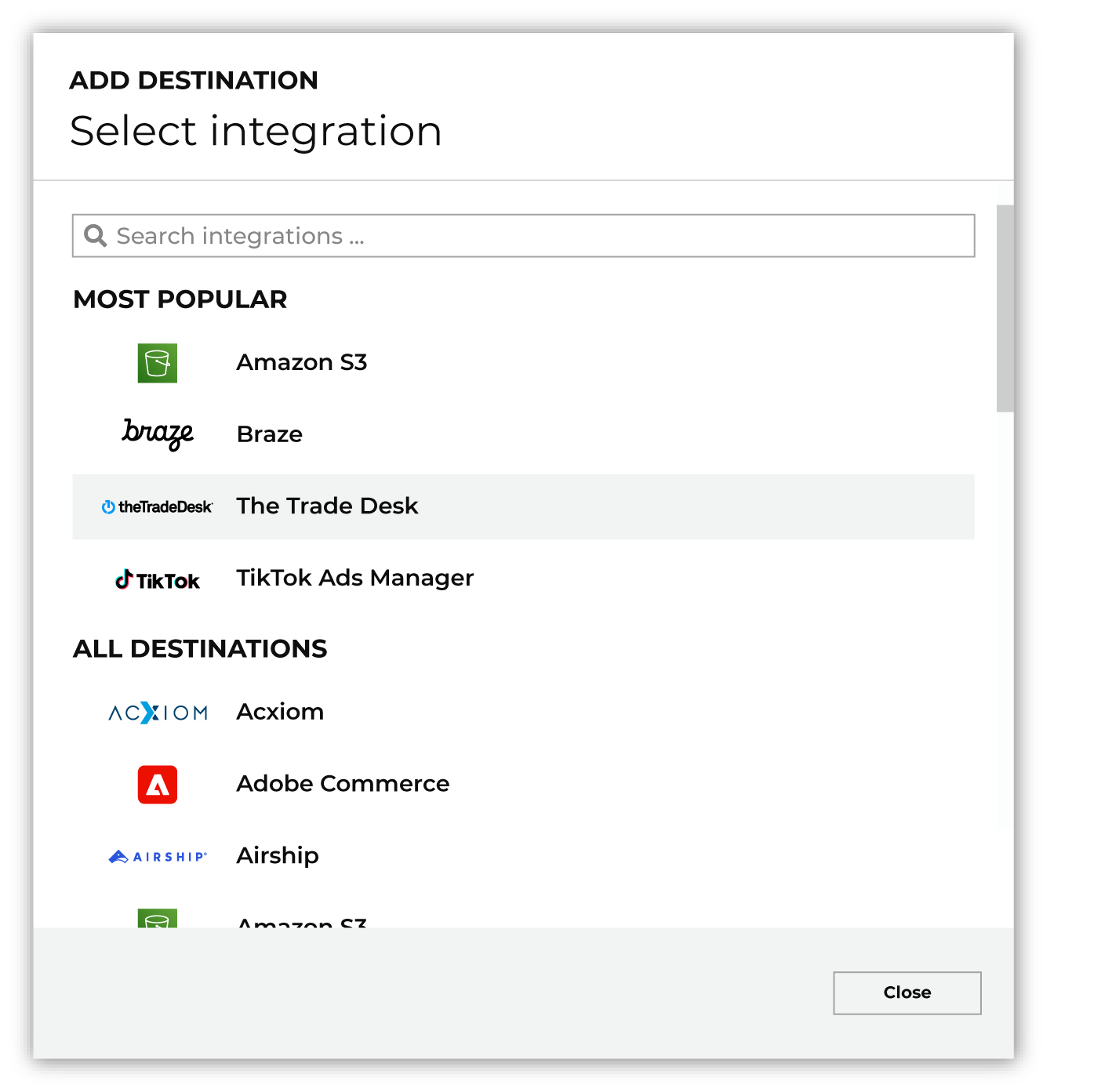
To configure a destination for Mixpanel, do one of the following:
|
|
|
Select the credential for Mixpanel from the Credential dropdown, and then click Continue. Tip Amperity validates the connection when the destination is saved. If the connection cannot be validated, an error is shown and the destination is not saved. |
|
|
In the “Destination settings” dialog box, assign the destination a name and description that ensures other users of Amperity can recognize when to use this destination. Configure business user access By default a destination is available to all users who have permission to view personally identifiable information (PII). Enable the Admin only checkbox to restrict access to only users assigned to the Datagrid Operator and Datagrid Administrator policies. Enable the PII setting checkbox to allow limited access to PII for this destination. Use the Restrict PII access policy option to prevent users from viewing data marked as PII anywhere in Amperity and from sending data to downstream workflows. |

|
Configure the following settings, and then click “Save”. Project ID
Project token
Operation
Group key
Compliance type
|

|
After configuring this destination users may use orchestrations to send query results Mixpanel. |

|
Validate the audience with Mixpanel by using a sample audience with a very small membership. For example: 10 or 100 members or the minimum audience size recommended by Mixpanel. Send the sample audience to Mixpanel and verify the sample audience is correct in Mixpanel. Make adjustments if necessary. Only send full audiences after validation is complete. |
Data validation
Amperity sends every row in the query results, except for rows it cannot build a valid request for. A row is skipped and reported as failed, and the run continues, when any of the following is true:
The row’s identifier —
distinct_id, orgroup_idfor the group-profiles operation — is empty.The row’s identifier is a placeholder rather than a real identifier. Amperity drops values such as
null,undefined,unknown,anonymous,none,n/a,0,-1,true,false, and an all-zero UUID, matched without regard to letter case. Mixpanel rejects most of these on its events endpoint, but its profile endpoints accept them and gather every such row onto a single profile named after the placeholder — so Amperity drops them for every operation.The operation is events and the row has no event name, or its
timevalue cannot be read as a date and time, a date, or a Unix timestamp in seconds or milliseconds.The row is larger than Mixpanel’s 1 MB limit for a single record.
Mixpanel rejects that individual row — for example an event outside the project’s retention window, or one carrying more than 255 properties.
Skipped rows are reported in the destination’s run details. Identical messages are grouped with a count rather than repeated, and a run that produces more than 100 distinct messages summarizes the rest as a count.
One rejected row does not fail the rows alongside it. Mixpanel validates each record in a request on its own and stores the valid ones even when it reports the request as failed, and Amperity reads each response record by record — counting the rows Mixpanel accepted as sent and reporting only the rows it rejected. A request that Mixpanel refuses outright, such as one that is malformed, fails every row in that request instead.
Some conditions stop the entire run, and are caught before any data is sent:
A column the operation requires is missing from the query results. The error names each missing column.
The operation is group-profiles and the Group key setting is not set.
The operation is deletions and the connected credential has no GDPR OAuth token.
The service account cannot see the project named by Project ID, because the ID is wrong or the service account has not been added to that project.
The service account’s role on the project cannot send data. The error names the role it found.
The project is hosted in a data residency this connector does not support.
A run also stops when Mixpanel rejects the service account, or refuses a request because the service account no longer holds the Owner or Admin role. A deletions run stops the same way when Mixpanel rejects the GDPR OAuth token. The run does not check that token before it begins sending, so a token that has expired or been revoked surfaces on the first deletion request and stops the run there. A GDPR OAuth token expires one year after it is generated. These conditions would fail every remaining request the same way, so the run stops rather than reporting every row as failed. The rows already reported as failed keep their reasons in the run details.