
 Operators Guide



Configure destinations for Twilio Segment
Twilio Segment is a customer data platform. It collects the events and user data that a brand’s websites, apps, and other sources send to it, and forwards that data to the tools the brand connects to its workspace.
The Twilio Segment connector sends user traits, events, and account traits from Amperity into a Twilio Segment source. Each row of the query results becomes one Twilio Segment call: an identify call, a track call, or a group call, set by the Operation setting. A destination performs one operation. To send more than one, configure a separate destination for each operation, each with its own query, all using the same write key. Twilio Segment then forwards the data to every destination connected to that source.
Amperity reads a small set of fixed column names from the query results and sends every other column to Twilio Segment as a trait or a property of the same name. Which fixed columns a destination needs depends on its operation. See Operations.
Every run sends the whole query result again, not only the rows that changed since the last run. Twilio Segment drops a call whose message ID it already received within about the previous 24 hours, so a retry or a second run within that window does not create duplicates in Twilio Segment, but runs further apart deliver every row again. See How values are sent.
Note
This destination uses the Twilio Segment HTTP Tracking API to send identify, track, and group calls .
Beta
The Twilio Segment connector is in beta. Contact your Amperity representative to learn more.
Important
The user_id that Amperity sends must be the same user ID that your own websites and apps already send to Twilio Segment, which is rarely the Amperity ID. Choose the column that carries that identifier. When your Twilio Segment workspace has no user ID of its own for a person, the Amperity ID can be used as user_id, and known identifiers such as an email address or a phone number can be sent as traits.
Note
Testing the connection sends no data and counts toward no MTUs. It confirms that Twilio Segment recognizes the write key. It checks the Region setting only when the source’s settings name an ingestion host, which a US workspace’s settings never do, so do not rely on it to catch a wrong region. Test the connection after changing the write key or the region.
Operations
The Operation setting selects which Twilio Segment call each row becomes, along with the columns its query results must contain. Column names are matched without regard to letter case, so USER_ID and user_id are the same column.
Important
A query must produce these columns under exactly these names. When yours produces them under other names, alias them, for example SELECT customer_id AS user_id. A run whose query results are missing a column its operation requires stops before any data is sent, with a message naming the missing column.
Operation |
Required columns |
Optional columns |
What it sends |
|---|---|---|---|
identify |
|
|
Sets traits on a person in Twilio Segment. Every other column becomes a trait. |
track |
|
|
Sends each row as an event performed by that person. Every other column becomes an event property. |
group |
|
|
Sets traits on an account in Twilio Segment, and associates the person with that account. Every other column becomes a trait of the account. |
What each fixed column carries:
user_id— the person’s user ID in Twilio Segment. Every row needs auser_idor ananonymous_id, and a row can carry both.anonymous_id— an identifier for a person who has nouser_id.event— track only. The event’s name, such asOrder Completed. A row’seventvalue overrides the Event name setting for that row.group_id— group only. The account’s identifier.timestamp— when the identify, track, or group call happened. See Timestamps.message_id— an optional identifier for the call, which Twilio Segment uses to recognize repeats. See How values are sent.
A fixed column that the destination’s operation does not read is sent like any other column. For example, an event column in an identify destination becomes a trait named event, and a group_id column in a track destination becomes a property named group_id.
Region
Twilio Segment hosts workspaces in the United States and in the European Union. The Region setting selects where Amperity sends: us, the default, or eu. It must match the region where your Twilio Segment workspace was created.
How values are sent
Every column that is not one of the fixed columns for the destination’s operation is sent to Twilio Segment as a trait (identify and group) or a property (track) with the same name. Return only the columns you want written: a column that is in the query results is a trait or a property in Twilio Segment. Name each column the way the trait or property should appear in Twilio Segment, for example email or revenue.
A dot in a column name nests the value. Columns named address.city and address.postal_code arrive as an address object that holds city and postal_code, which is the shape of Twilio Segment’s reserved address and company traits. A query that returns both a column and a dotted column that begins with it, such as address and address.city, stops before any data is sent, because one would overwrite the other. A column name with an empty part, such as a..b or one that begins or ends with a dot, is sent as a single name and is not nested.
Decimal values are sent as numbers, so that reserved properties such as revenue arrive as numbers. A decimal value that cannot be read as a number is sent as text rather than failing the row. Integer, floating-point, and Boolean values keep their types. Date and time values are sent as ISO 8601 text in UTC, such as 2026-09-30T10:00:00.000Z, and dates as 2026-09-30. A text column is sent exactly as it reads.
Empty cells are left out. A column with no value for a row, or one holding only whitespace, is omitted from that row’s call rather than sent as an empty value. This destination cannot clear a trait: a trait keeps its last value in each tool that Twilio Segment forwards to until something else changes it.
Identifiers are sent as text. A numeric user_id, anonymous_id, or group_id is converted to its text form, and spaces at the start or end of an identifier or an event name are removed.
Repeated calls are recognized by message ID. Twilio Segment drops a call whose message ID it has already received within about the last 24 hours. Twilio Segment documents this for 99% of calls, not all of them. When a row has a message_id value, Amperity sends it. When the cell is empty, or the query results have no message_id column, Amperity derives a message ID from the call’s own contents (its identifiers, its event name, its timestamp, and every trait or property on it) combined with the destination’s write key. A derived message ID is the same for the same call on every run, so Twilio Segment drops the repeat from a retried request or a second run within about 24 hours. A message_id longer than 100 characters, the most Twilio Segment accepts, is replaced by a stable value derived from it and the write key.
A derived message ID has three consequences:
Two rows that produce exactly the same call get the same message ID, and Twilio Segment keeps only one of them. When an event can genuinely happen twice with the same properties, such as the same purchase made twice, give each row a distinct
timestampor amessage_idso the calls differ.A row whose values change between runs, such as an order whose revenue changes after a return, gets a new message ID and is sent again, even within about 24 hours.
Changing the write key changes every derived message ID, so a run within about 24 hours of the change sends every call again.
Important
Twilio Segment recognizes repeats across all of Twilio Segment, not only within your workspace. This applies only to a message_id of 100 characters or fewer that you supply: a derived message ID includes your write key, so it cannot match another sender’s. A message_id you supply must be unique to you, for example an order ID combined with a prefix that names your brand. A message ID that matches one that another sender used within the same 24 hours causes Twilio Segment to ignore your call.
Timestamps
The timestamp column sets when each call happened. Without it, Twilio Segment records the time it received the call, so every historical event appears to happen at the time of the run. Include a timestamp column whenever you send events or traits that describe the past.
Amperity converts each timestamp value to ISO 8601 in UTC, and Twilio Segment keeps it exactly as sent. A value is read as follows:
A date and time column is sent as that moment in UTC.
A date column, or text that holds only a date such as
2026-09-30, is read as midnight UTC on that date.Text that holds an ISO 8601 date and time with
Zor a UTC offset, such as2026-09-30T10:00:00Zor2026-09-30T10:00:00+02:00, is converted to UTC.An empty cell sends the call without a timestamp.
Any other value cannot be read, and its row is reported as failed. That includes text without a timezone, such as 2026-09-30T10:00:00, text with a space between the date and the time, such as 2026-09-30 10:00:00, and a Unix timestamp held as a number. Give the column a date or date-time type in Amperity, or convert a Unix timestamp in seconds with FROM_UNIXTIME(column).
Example: send orders as track events
A track destination whose Event name is Order Completed can send the previous day’s orders from the Unified_Transactions table with a query similar to the following. Unified_Transactions identifies each customer only by Amperity ID, so the query joins it to the table that holds each customer’s Twilio Segment user ID, shown here as your_id_table:
 1SELECT
 2  ids.your_segment_user_id AS user_id -- the column that holds your Segment user ID
 3  ,ut.order_datetime AS timestamp
 4  ,ut.order_id
 5  ,ut.order_revenue AS revenue
 6  ,ut.currency
 7FROM Unified_Transactions ut
 8JOIN your_id_table ids ON ut.amperity_id = ids.amperity_id
 9WHERE ids.your_segment_user_id IS NOT NULL
10  AND ut.order_datetime >= (CURRENT_DATE - interval '1' day)
11  AND ut.order_datetime < CURRENT_DATE
Run it once a day. Each run then sends each order once, and each event keeps the time the order was placed.
Note
The order_revenue column holds the revenue for every item in the order, including items that were later returned or cancelled. Choose the revenue column that matches what you want Twilio Segment to report. For example, the Net Order Revenue column subtracts returns, cancellations, and order discounts, when the SQL template for the Unified Transactions table is configured to include it.
Note
Twilio Segment’s reserved currency property expects a three-letter ISO 4217 code, such as USD, and Twilio Segment treats revenue that has no currency as US dollars. Amperity sends the currency column as it reads, so a source column that stores a value like “dollar” must be converted to a code first.
Volume and limits
Amperity sends rows in batches that stay within Twilio Segment’s documented limits: up to 2,500 calls and 500 KB per request, and 32 KB (32,000 bytes) per call. A row whose call would be larger than 32,000 bytes is reported as failed rather than sent, because Twilio Segment accepts an oversized call in a batch and then discards it.
Twilio Segment recommends a request rate for each workspace that your own websites and apps share, and a large run draws on that same rate. Amperity paces its requests, and retries automatically when Twilio Segment reports a rate limit or a server error. Avoid overlapping runs, and schedule large sends outside the hours when your own traffic peaks.
Get details
Review the following details before configuring credentials for Twilio Segment and before configuring Amperity to send user traits, events, and account traits to a Twilio Segment source.

|
Credential settings Required Write key
|
|
|
Required destination settings Operation
|
|
|
Optional destination settings Region
Event name
|
Configure credentials
Configure credentials for Twilio Segment before adding a destination.
An individual with access to Twilio Segment should use SnapPass to securely share “Write key” details with the individual who configures Amperity.
To configure credentials for Twilio Segment

|
From the Settings page, select the Credentials tab, and then click the Add credential button. |
|
In the Create credential dialog box, do the following:
|

|
The settings that are available for a credential vary by credential type. For the “twilio-segment” credential type, configure settings, and then click Save. Required Write key
|
Add destination
Use a sandbox to configure a destination for Twilio Segment. Before promoting your changes, send a sample audience, and then verify the results in Twilio Segment. After verifying the end-to-end workflow, push the destination from the sandbox to production.
To add a destination for Twilio Segment
|
|
Open the Destinations page, select the New destinations button, and then select Orchestration. 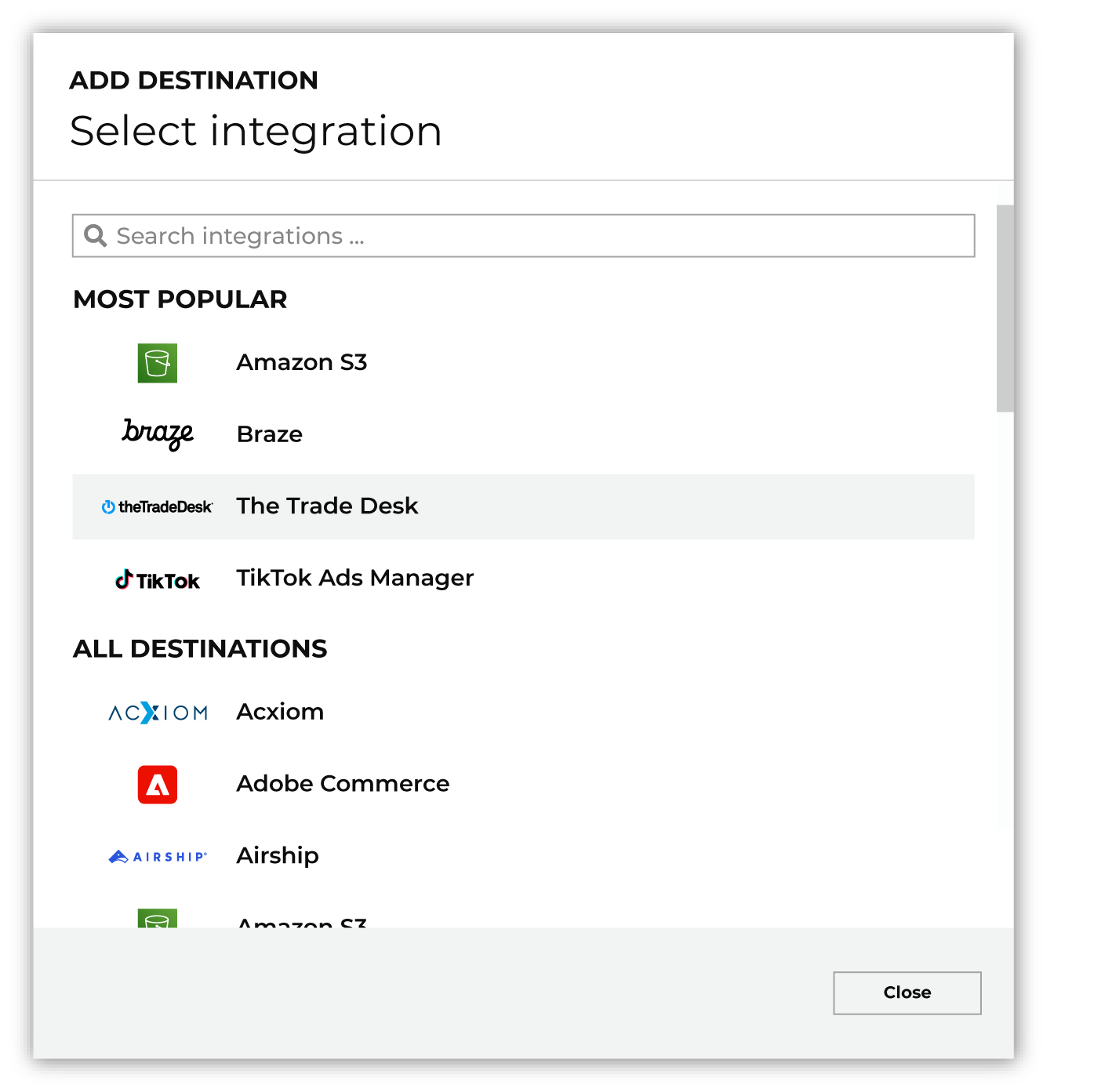
To configure a destination for Twilio Segment, do one of the following:
|
|
|
Select the credential for Twilio Segment from the Credential dropdown, and then click Continue. Tip Amperity validates the connection when the destination is saved. If the connection cannot be validated, an error is shown and the destination is not saved. |
|
|
In the “Destination settings” dialog box, assign the destination a name and description that ensures other users of Amperity can recognize when to use this destination. Configure business user access By default a destination is available to all users who have permission to view personally identifiable information (PII). Enable the Admin only checkbox to restrict access to only users assigned to the Datagrid Operator and Datagrid Administrator policies. Enable the PII setting checkbox to allow limited access to PII for this destination. Use the Restrict PII access policy option to prevent users from viewing data marked as PII anywhere in Amperity and from sending data to downstream workflows. |

|
Configure the following settings, and then click “Save”. Operation
Region
Event name
|

|
After configuring this destination users may use:
|

|
Validate the audience with Twilio Segment by using a sample audience with a very small membership. For example: 10 or 100 members or the minimum audience size recommended by Twilio Segment. Send the sample audience to Twilio Segment and verify the sample audience is correct in Twilio Segment. Make adjustments if necessary. Only send full audiences after validation is complete. A successful run means Twilio Segment received the data, not that it kept every call. Open the source in Twilio Segment and check its Overview, which counts the events the source received and the events that failed on ingest, with a reason for each. |
Data validation
Amperity sends every row in the query results, except for rows it cannot build a valid call for. A row is skipped and reported as failed, and the run continues, when any of the following is true:
The row has no
user_idand noanonymous_id. A cell that is empty or holds only whitespace counts as missing.The row’s
timestampcannot be read as a date and time or a date. See Timestamps.The operation is track and the row has no event name, from its
eventcolumn or from the Event name setting.The operation is group and the row has no
group_id.The row’s call is larger than Twilio Segment’s 32,000-byte limit for one call.
Failed rows are reported in the destination’s run details with the reason for each. Identical messages are grouped with a count of rows rather than repeated, and a run that produces more than 100 distinct messages summarizes the rest as a count. No message includes the row’s values.
Twilio Segment answers each request for a whole batch, not for each call in it. When Twilio Segment rejects a batch for a reason specific to that batch, every row in the batch is reported as failed with the reason Amperity received, and the run continues with the next batch.
Some conditions stop the entire run, and are caught before any data is sent:
The query results have no
user_idcolumn and noanonymous_idcolumn.The operation is group and the query results have no
group_idcolumn.The operation is track, the Event name setting is empty, and the query results have no
eventcolumn.A column and a dotted column that begins with it, such as
addressandaddress.city, are both in the query results. The error names both columns.
A run stops at once when Twilio Segment rejects the write key. When Twilio Segment keeps answering with rate limits or server errors after several automatic retries, or when Amperity cannot reach Twilio Segment, Amperity restarts the run from the beginning every 10 minutes for up to an hour before the run fails. Rows already reported as failed keep their reasons in the run details. Because every call carries the same message ID on every attempt, Twilio Segment drops the calls that already arrived.
Important
A successful run proves that Twilio Segment received each batch, not that it kept every call. Twilio Segment accepts some data that it later discards without reporting an error to Amperity, including data sent with a write key it does not recognize and data sent to the wrong region. When a run succeeds but data is missing, check the Region setting and the write key, test the connection, and review the source’s Overview in Twilio Segment, which counts events that failed on ingest with a reason for each.